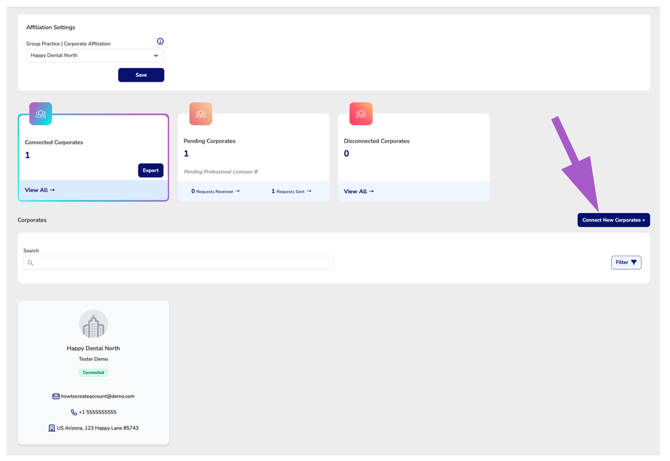
Overview
The Corporate Connections Manager allows office administrators to view, manage, and update their affiliation with larger corporate or group practices. Whether your office operates independently or is part of a network, this tool helps manage visibility, connection requests, and access to corporate-level benefits for employees.
Accessing the Manager
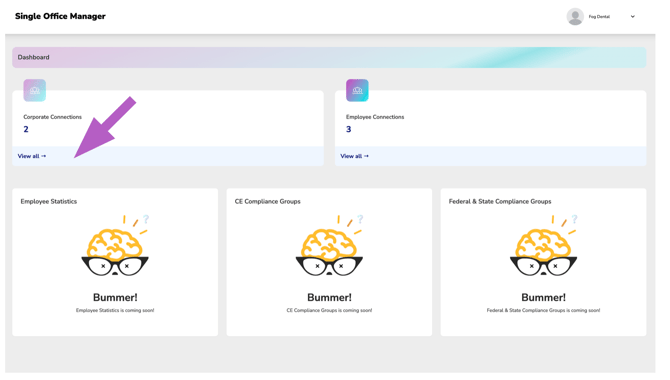
From your Office Manager dashboard, click “View all” under the Corporate Connections tile to open the full Corporate Connections Manager.
Affiliation Settings
More Info: Understanding the Affiliation Settings
Filter Cards
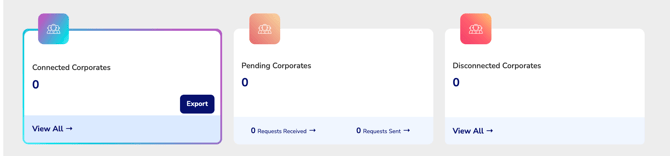
Use the cards at the top of the Corporate Connections Manager to switch between different connection managers associated with your office’s relationships with corporate entities:
- Connected
- Pending
More Info: Understanding the Pending Corporates Manager
- Disconnected
Connect New Corporates
The Connect New Corporates page allows your office to establish a connection with one or more corporate organizations that manage your office through an Executive Suite.