Connected Corporates
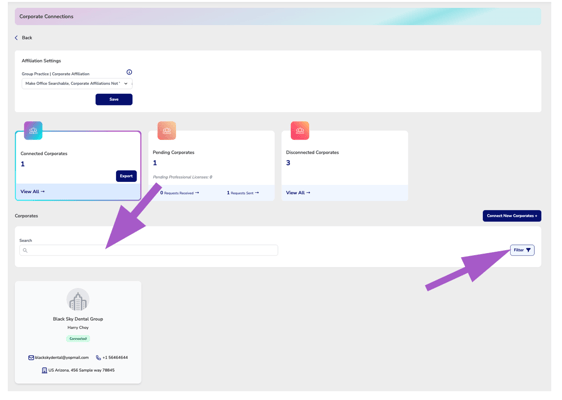
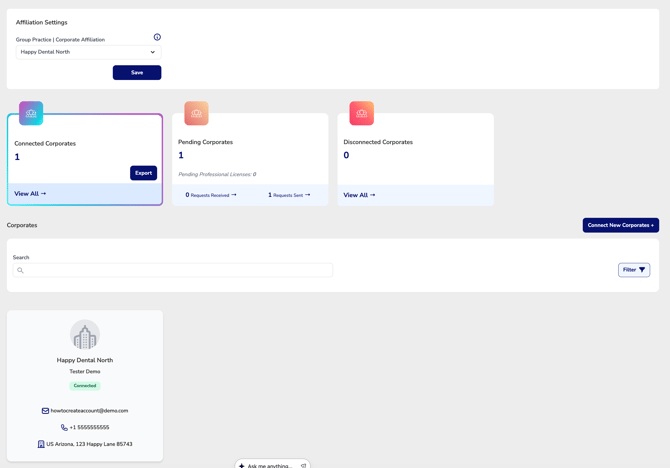
The Connected Corporates card displays the number of Corporate or Executive Suite organizations your office is currently connected to. Selecting View All opens the Connected Corporates Manager, where each connected organization is displayed on its own card. From this manager, you can view corporate profile information, search existing connections, and review the status of each affiliation.Us
-
Most offices are linked to one corporate group, but multiple affiliations are allowed.
-
If the corporate organization provides employee benefits through CE Zoom, connected employees will receive upgraded features based on the Executive Suites | Corporate membership level.
Using the Manager:
Search and Filter Connected Corporates
Use the Search bar to quickly locate a connected corporate organization by name.
If your office is connected to multiple corporate organizations, you can also use the available Filters to narrow your results and quickly find a specific connection.
Review Connected Corporate Information
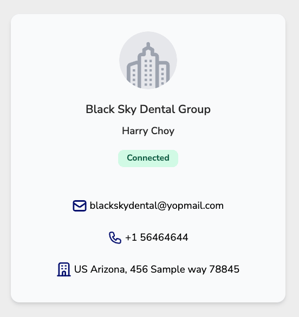
Each connected corporate organization is displayed on its own card.
The corporate card provides a quick overview of the connection, including:
- Corporate organization name
- Primary corporate contact
- Connection status
- Available contact information
This information allows you to quickly identify each connected organization and review its current affiliation with your office.
Connection Status
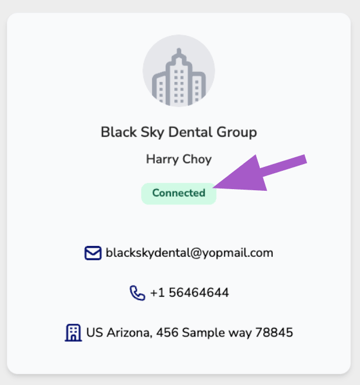
Each corporate card displays the current status of your affiliation.
A Connected status indicates your office is actively linked to the Corporate or Executive Suite organization. While connected, your office and eligible employees can receive any CE Zoom features, services, or employee benefits provided through that organization's Executive Suite membership.
Disconnecting from a Corporate Organization
⚠️ Office Managers cannot disconnect their office from a connected Corporate or Executive Suite organization.
If your office no longer wishes to remain affiliated with a corporate organization, you must contact the connected Corporate or Executive Suite administrator directly and request that they remove the connection.
Once the corporate organization disconnects your office, the affiliation will be removed and will appear in the Disconnected Corporates section of the Corporate Connections Manager for future reference.