
-
Go to your CE Zoom dashboard.
Navigate to the Scheduled Courses section and locate the course you're looking for.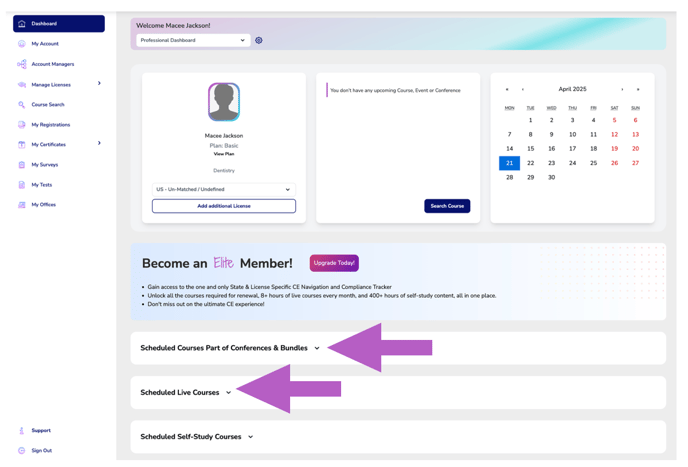
- Locate the course you are interested in.
You can use the search bar or browse through your list of scheduled courses.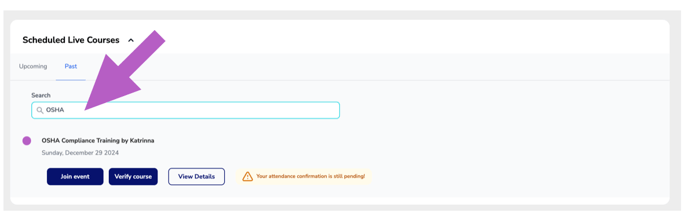
-
Click “View Details” next to the course.
This will open the course details page.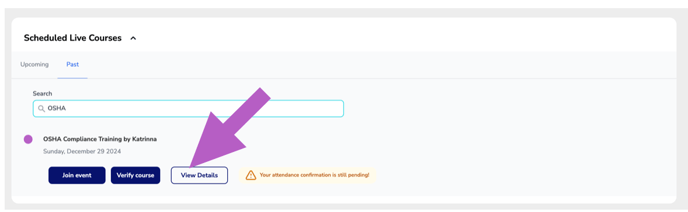
-
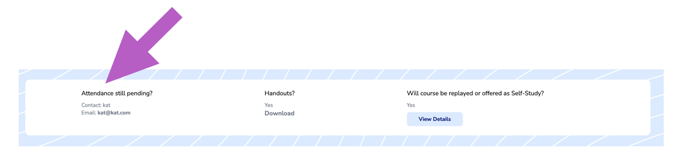
Scroll to the “Course Details” section.
The contact email will be listed.
Look for the row labeled “Attendance still pending?
More Info: What if I have been marked Ineligible