
Overview
The Regions Manager allows Executive Suite | Corporate Office users to group connected offices into regions for streamlined oversight. This structure makes it easy to view CE compliance statistics by region, including office-level and employee-level tracking.
Organizing offices into regions is especially helpful for large organizations with multiple locations, helping you quickly identify where compliance support or follow-up may be needed.
How to Access the Regions Manager
There are two ways to access the Regions Manager from your Executive Suite dashboard:
-
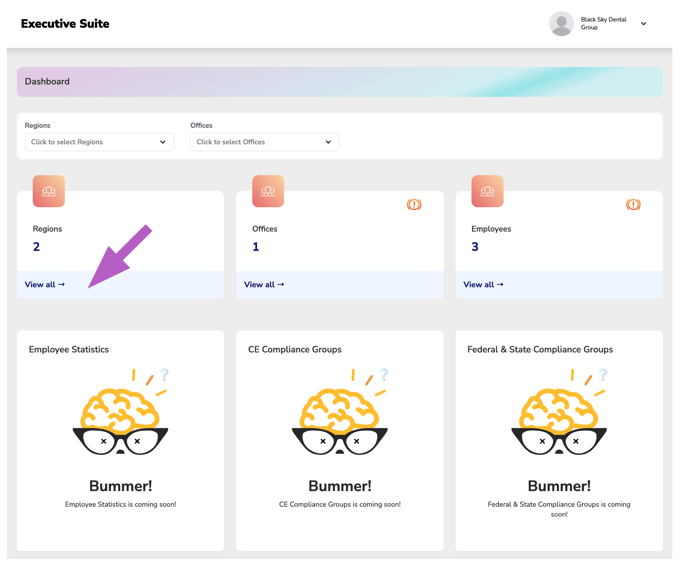
From the Dashboard
-
Click “View All” under the My Regions stats section to open the full Regions Manager.
-
-
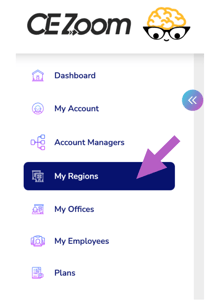
From the Left-Hand Navigation Menu
-
Click “My Regions” to go directly to the manager at any time.
-
Use the links below to learn more about each feature available within the Regions Manager. These guides will help you make the most of your region-based compliance tracking and organization tools.
More Info: How to Create a New Region
More Info: How to Edit or Delete a Region