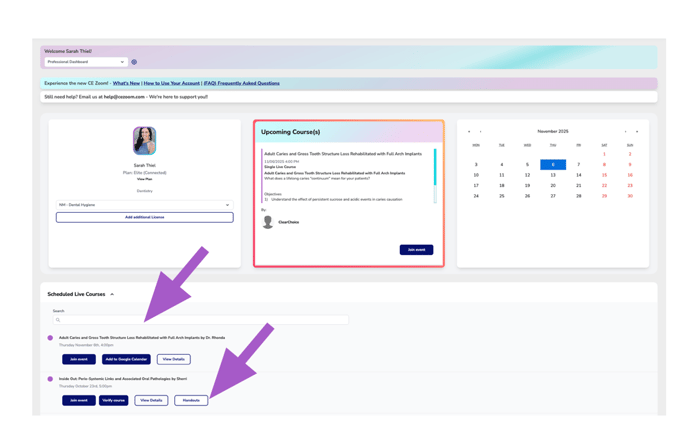
If a course includes any handouts or a syllabus, you can access them directly from your dashboard. A Handout button will appear for each course that has attached materials, either under your Scheduled Courses list or within the Upcoming Course widget. If the presenter announced they will supply a handout during the presentation, please give the offering company time to update the course and add any attachments. Sometimes it takes up to a week for the presenters to get their handouts to the offering company.
How to find Handouts if they are supplied:
From your Dashboard:
-
Go to your CE Zoom dashboard.
If your course is the next upcoming one and has a handout attached, you’ll see a Handout button within the Upcoming Course widget.
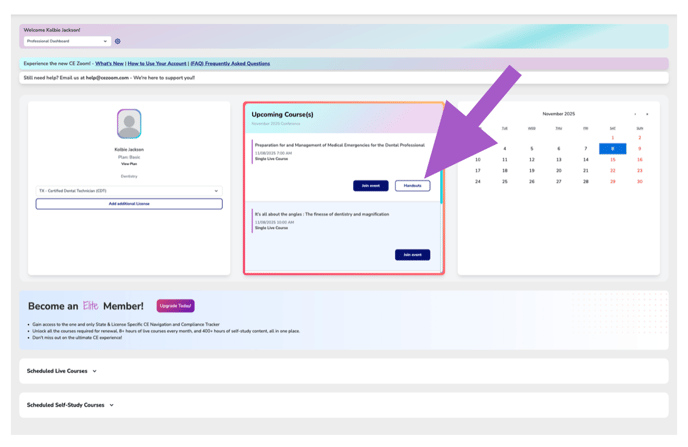
or
Navigate to the Scheduled Courses section and locate the course you're looking for.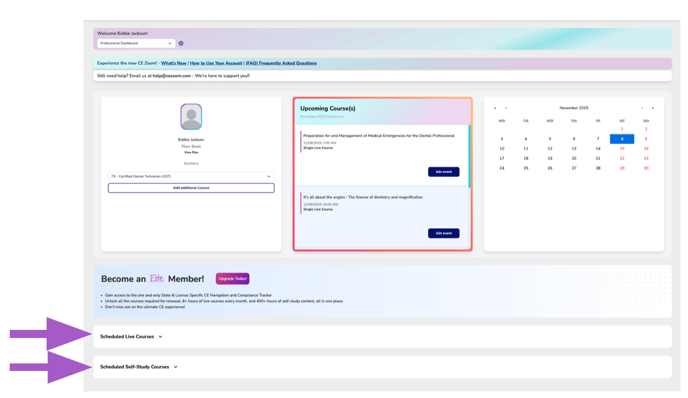
- Locate the course you are interested in.
If a handout is available, a Handout button will be displayed for that course.
You can use the search bar or browse through your list of scheduled courses.