
Overview:
Executive Suites can connect with their company’s offices through the Office Connection Manager. This connection allows company-wide visibility on compliance status and enables CE benefits for employees across all linked offices. Follow the steps below to send a new connection request.
Steps:
-
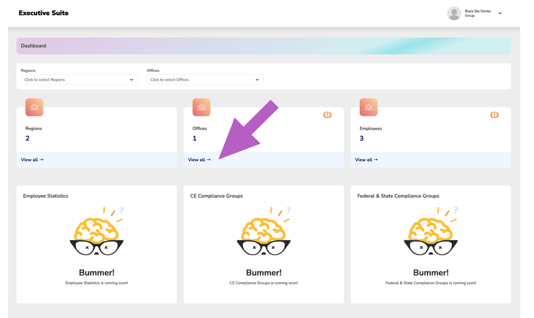
From your Dashboard, scroll to the Office section and click “View All.”
-
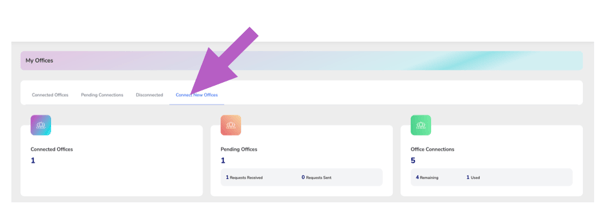
At the top of the Office Manager, click the “Connect New Office” tab.
-
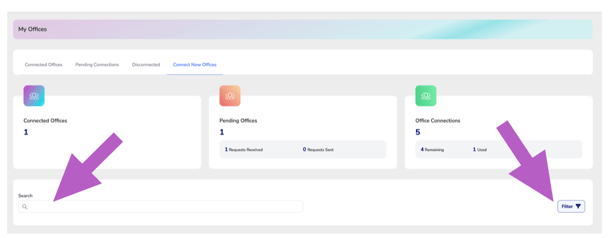
Use the search bar to enter office names or keywords, and apply filters to narrow your search.
-
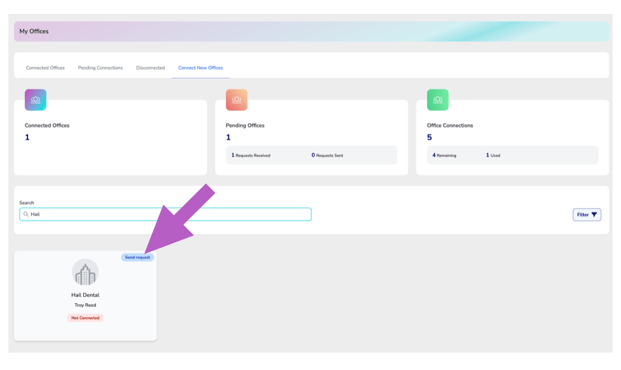
Find the office you want to connect with and click “Send Request.”
-
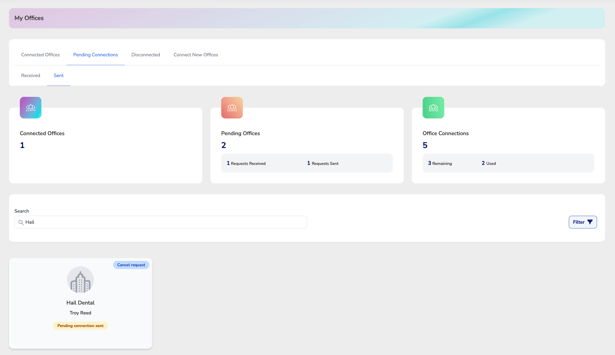
The office will now appear under the Pending Connections Manager in the Sent Requests section until it’s accepted.
If You Receive a Credit Error:
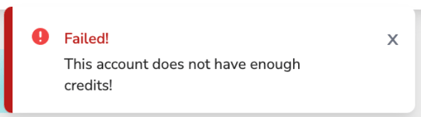
If you have never purchased credits or have already used all your office connection credits, you will see the following message:
Please refer to the article below for details on purchasing more connection credits.
More Info: How to purchase connection credits for my executive suite