
Agencies can select professionals to be audited in two ways: Random Selection or Manual Selection. Both options are accessible through the Total Professionals Manager.
Option 1: Random Audit Selection
-
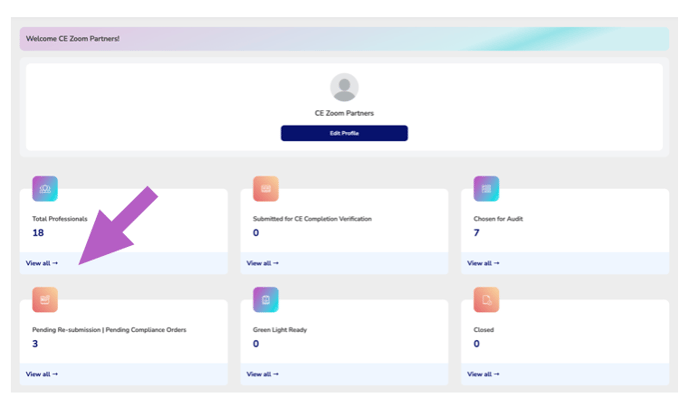
From your Agency Dashboard, click “View all” in the Total Professionals section.
-
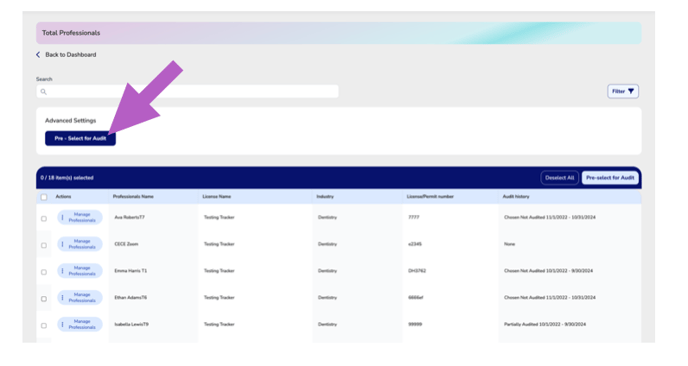
If you want to select from all licensed professionals, skip filters and click Pre-Select for Audit.
-
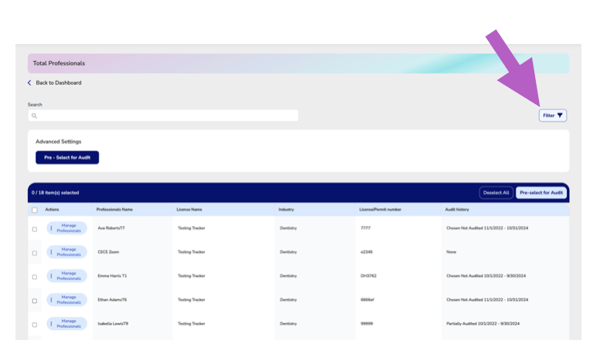
To limit your selection to a specific industry or license type, use the filters first.
-
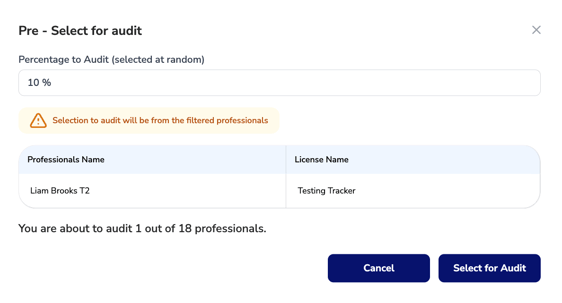
In the Pre-Select for Audit tool:
-
Enter the percentage of professionals you'd like to audit (default is 10%).
-
A randomized list will be instantly generated based on your filter criteria.
-
To accept the list, click “Select for Audit”.
-
To generate a new list, enter a different percentage and repeat the process.
-
⚠️ This is a completely randomized selection process applied to the filtered professionals currently visible.
Option 2: Manual Audit Selection
-
Locate the professionals you wish to audit in the Total Professionals Manager.
-
You can manually select individuals in two ways:
-
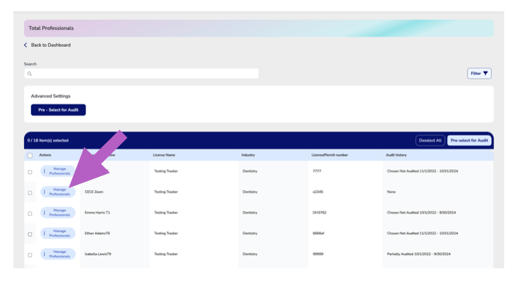
Use the Manage Professionals button in the Actions column to select them one at a time.
-
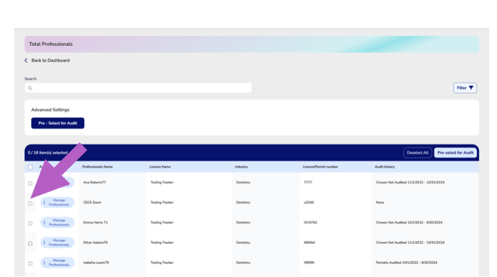
Use the checkboxes next to each professional’s name to multi-select individuals.
-
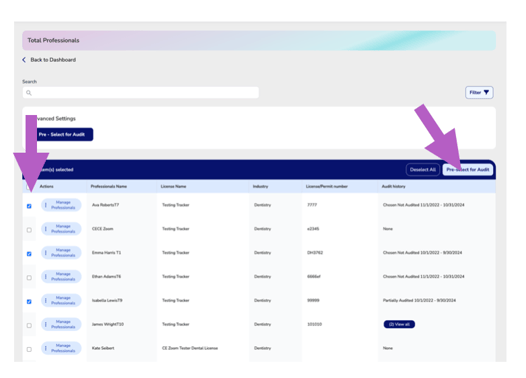
After selecting multiple professionals, click the “Pre-Select for Audit” button in the header of the table.
-
This will mark all selected professionals for audit in one action.
-
- With either method, once selected professionals submit their transcripts, their transcript will be added to the “Chosen for Audit” section, pending audit review.
-