
1. Navigate to the Submitted for Completion Verification Manager
-
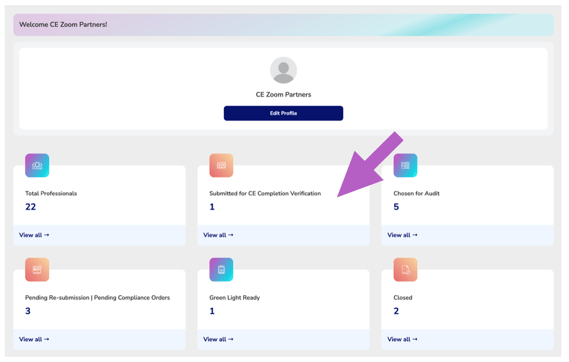
From your Agency Dashboard, go to the Submitted for CE Completion Verification section.
-
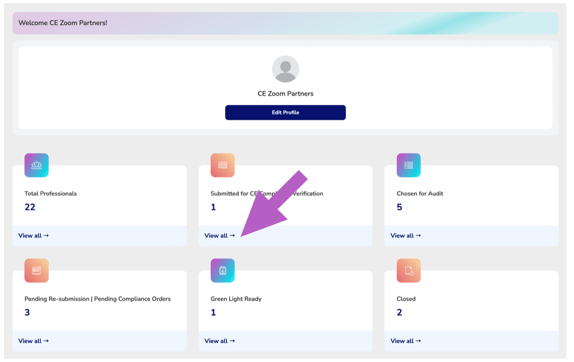
Click View All to open the manager.
2. Locate the Professional(s)
-
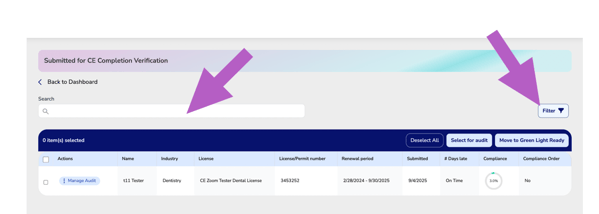
Use the search bar to quickly find a professional by name (keyword search).
-
Apply filters (e.g., license type, industry) to narrow down your list if needed.
3. Select Professionals for Audit
-
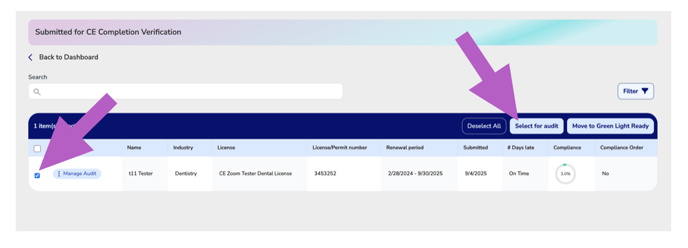
Check the box next to each professional you wish to select for audit.
-
Once your selections are made, click Select for Audit in the blue table header bar.
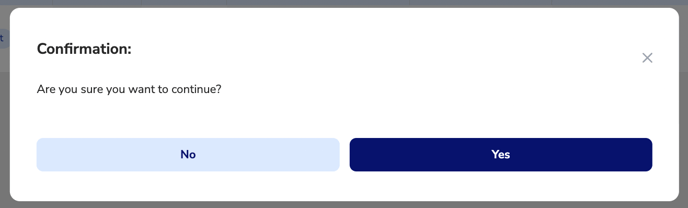
4. Confirm
-
Check yes to confirm
✅ That’s it! The professional(s) will now be marked as Selected for Audit.