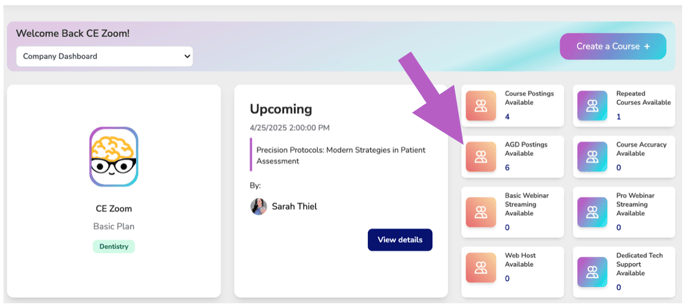
Purchasing Add-On's
-
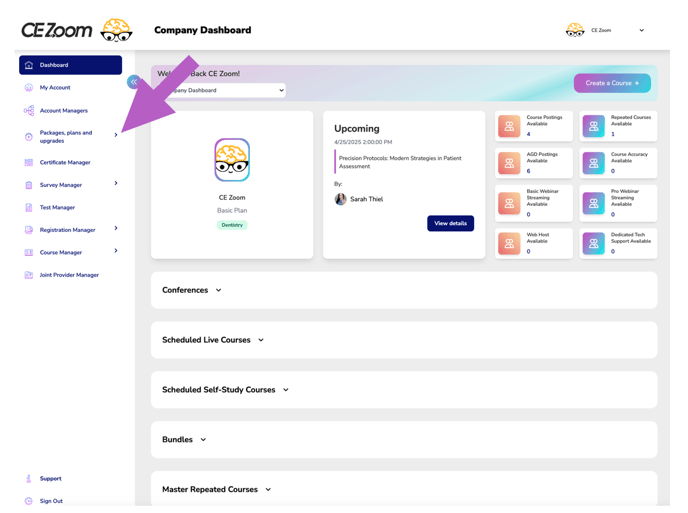
From your dashboard, hover over Packages, Plans and Upgrades in the navigation menu.
-
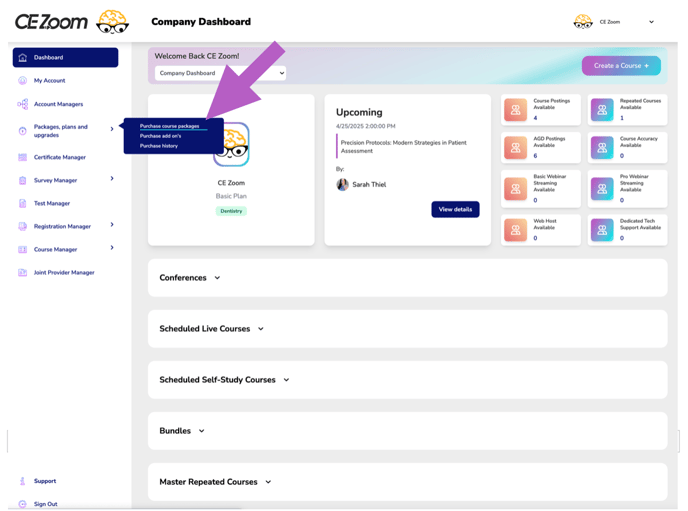
In the expanded menu, click on Purchase Add-ons.
-
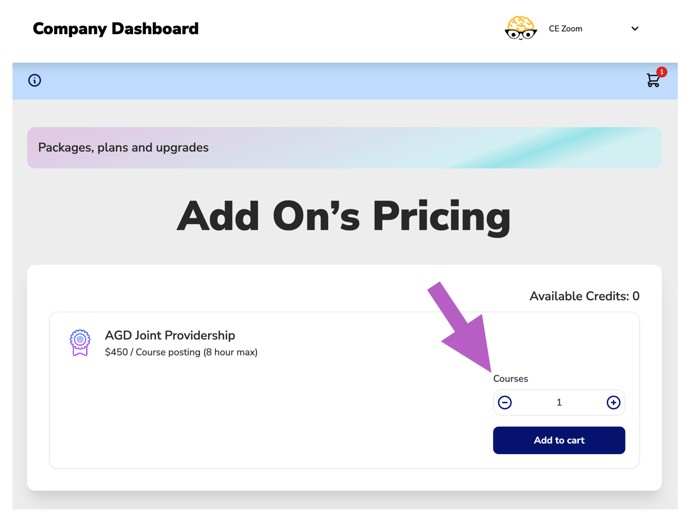
You’ll be taken to the Add On’s Pricing page.
Note: At this time, the only available add-on is AGD Joint Providership.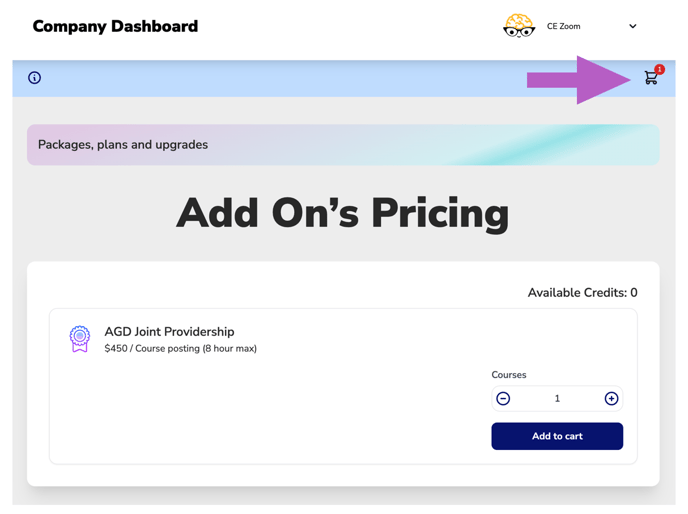
-
Adjust the quantity of courses you would like to purchase AGD Joint Providership for by using the plus (+) and minus (−) icons.
-
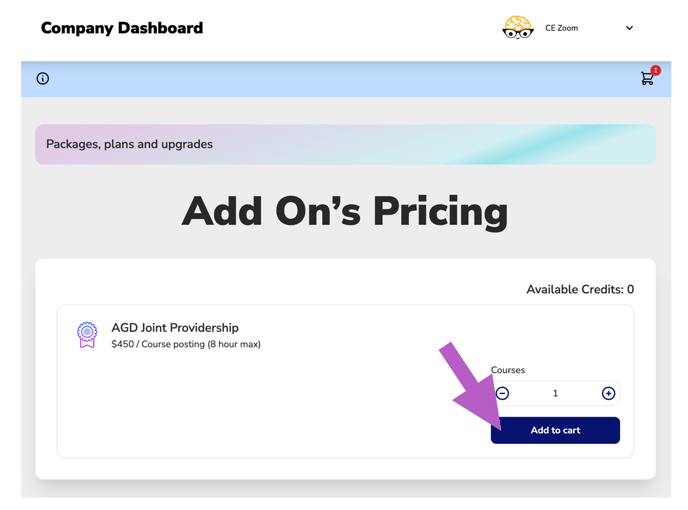
Click the Add to Cart button.
-
In the top right corner of your screen, click the cart icon to open your cart.
-
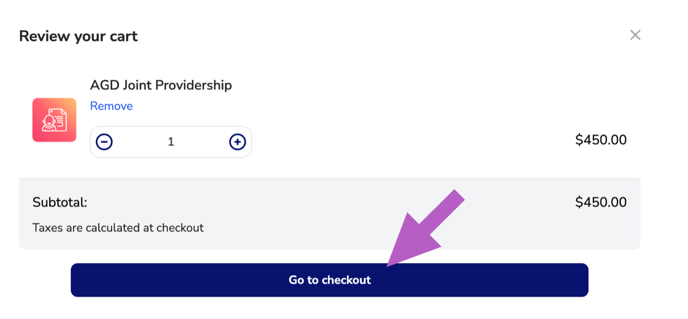
Review your selection, then click Go to checkout.
-
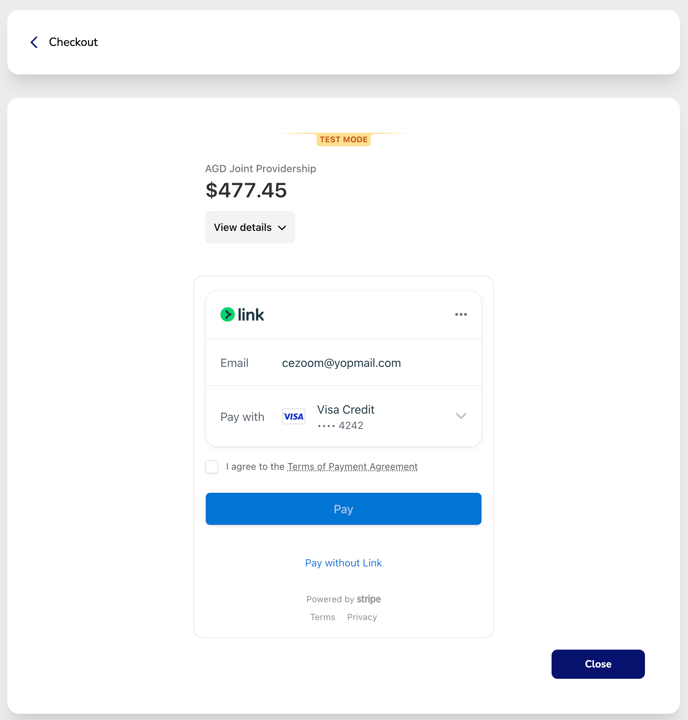
Complete the payment form, agree to the payment terms, and click Pay.
-
Once complete, your credits will be added to your account and can be tracked under the available Add-On credit section.