
-
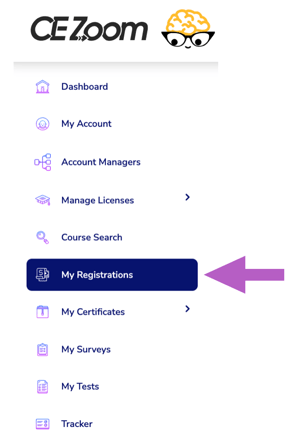
Click "My Registrations" from the left navigation menu.
-
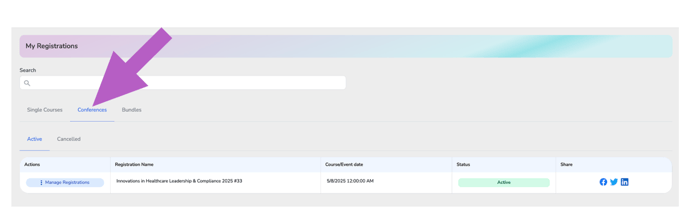
Select the type of event you need to cancle by clicking the appropriate tab — Single Courses, Conferences, or Bundles
-
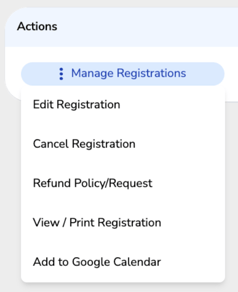
In the Actions column, hover over “Manage Registrations” for the event you want to edit to expand the dropdown menu
-
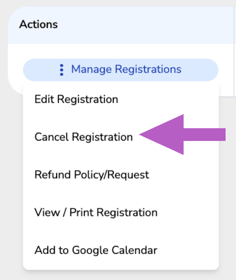
Click “Cancel Registration” from the dropdown.
If a refund is due, please reach out directly to the company hosting the event.
More Info: How to Request a Refund