
How to Update Your Email
Your email address is your account’s primary login and the destination for all system notifications.
Important: Your CE Zoom account email and your Stripe billing email are managed separately. Updating your email address in CE Zoom does not automatically update the email used for billing notifications, payment receipts, payment confirmations, or renewal reminders. If you'd like those communications sent to your new email address, you'll need to update your billing information in Stripe separately.
Click for more info: How To Update Your Billing Info (Personal And Credit Card) Stripe
To update your email:
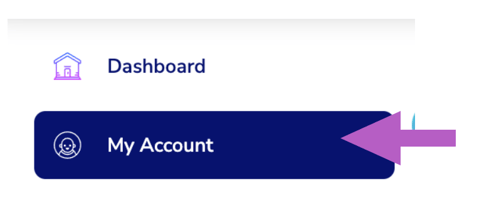
- From the navigation menu click my account
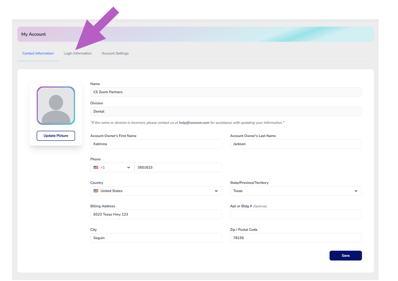
- Click the login information tab
-
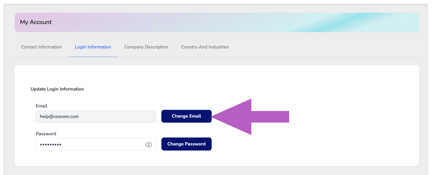
Click the “Change Email” button.
-
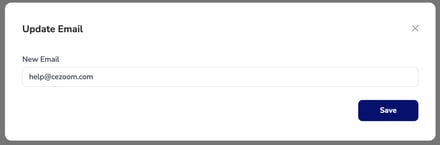
Enter your new email address.
-
Click save to confirm the change (you may be asked to verify it via email).
-
Log in using your new email going forward.