
Note About Keeping Payment Methods Current
To avoid service interruptions, failed renewals, or the accidental loss of your membership—including any grandfathered pricing—please keep both your payment method and billing contact email up to date.
Important: Your billing contact email is the email address entered during checkout when your subscription was originally purchased. This may be different from the email address associated with your CE Zoom account.
Because CE Zoom uses Stripe as its secure third-party payment processor, updating your CE Zoom profile or account email does not automatically update your billing information in Stripe. Be sure to keep your payment method and billing contact email current in both locations to ensure you continue receiving renewal reminders and payment notifications.
How to Update Payment Method
All updates are securely processed through Stripe and automatically applied to future renewals.
-
Log in to your CE Zoom account.
-
Navigate to your Dashboard
-
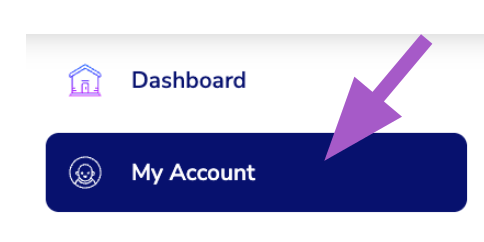
From the Navigation Menu, Click on My Account
-
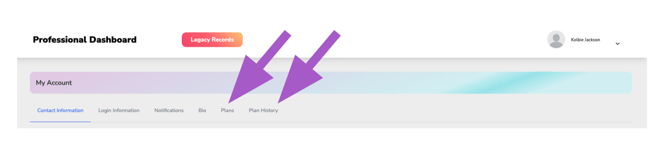
Click either the Plans or Plan History filter.
-
Click Update Your Payment Methods | View Receipts

A secure Stripe window will open where you can add, edit, or remove your saved payment cards.
- Companies Connected to Stripe you may be prompted to log in.
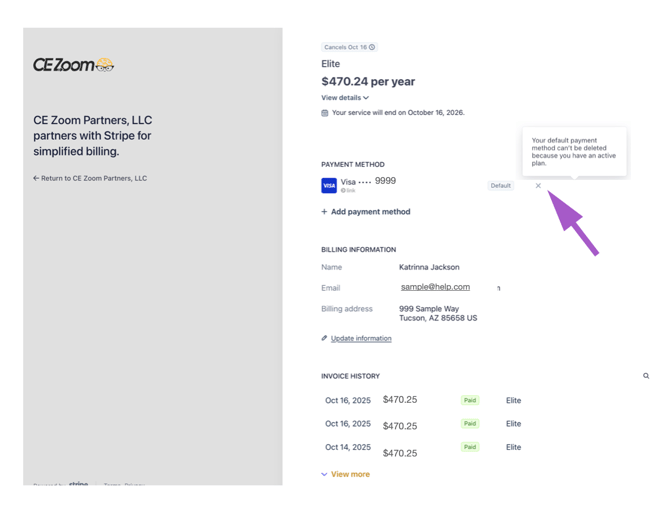
If you attempt to remove your default payment method before adding a new one, Stripe will display the following warning:
"Your default payment method can't be deleted because you have an active plan."
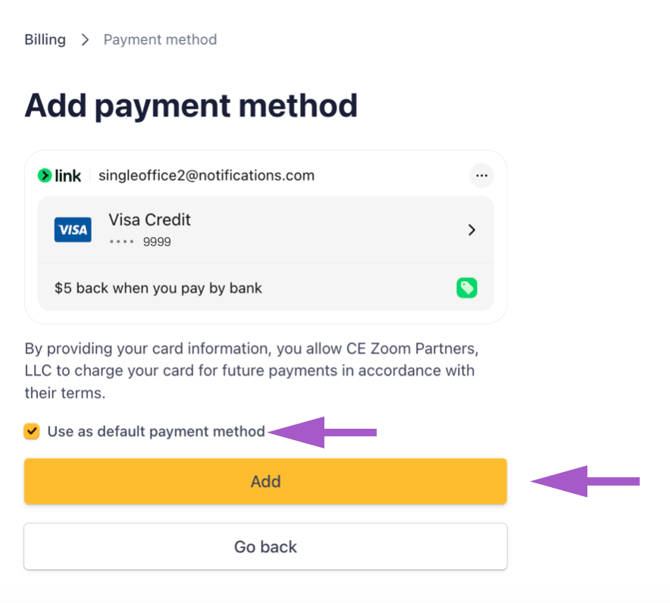
To update or add a new payment, click the ' Add payment method'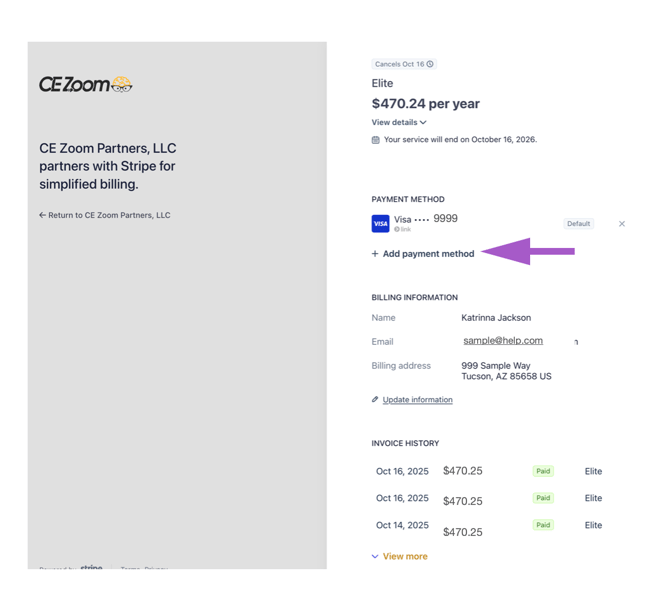
*Fill out the 'Add payment method' form
*Check to make default payment
*Click Add
No Card on File
If you have no card on file, you will only see the ability to update your personal info 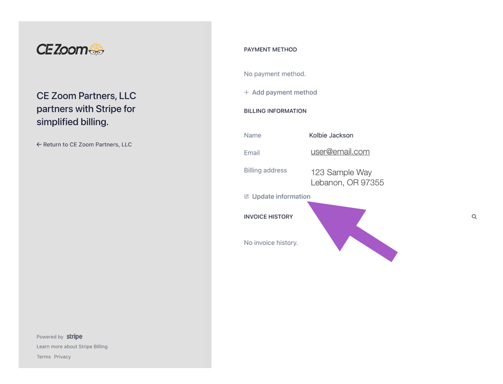
How to update your Personal Information
To update your billing contact information, select Update Information from the Billing Information section.
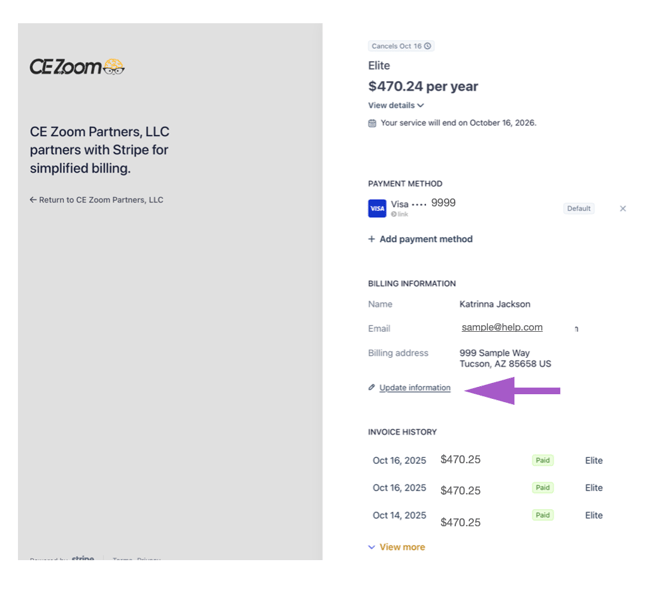
From the Billing Information page, you can update your:
- Name
- Billing Email Address
- Billing Address
- Phone Number
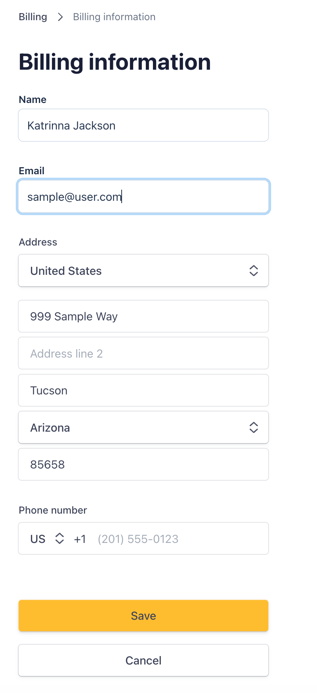
After making your changes, select Save to update your billing information.
Important: The billing email address stored in Stripe is used for billing communications, including payment confirmations and renewal reminders. This email may be different from the email address associated with your CE Zoom account. Updating your CE Zoom profile does not automatically update your billing information in Stripe.