
The Federal & State Compliance Groups dashboard provides organizations with a centralized way to monitor recurring compliance requirements that extend beyond continuing education (CE) renewal.
While CE Renewal Tracking focuses on professional license renewal requirements, Compliance Groups track workplace training and recurring compliance obligations required by federal regulations, state laws, accrediting agencies, or your organization's internal policies.
These groups can be used to track requirements such as HIPAA, OSHA, Infection Control, CPR, state-mandated training, or other organization Federal & State-specific compliance requirements. You determine which courses satisfy the requirement, how often it must be completed, and, when needed, which providers or professions qualify.
Once created, CE Zoom can use employees’ CE records to determine whether the requirements established by your organization have been satisfied.
Editing a Current Compliance Group
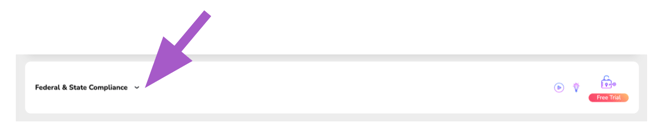
From your Executive or Office Manager Dashboard, scroll down to Federal & State Compliance and expand the section.
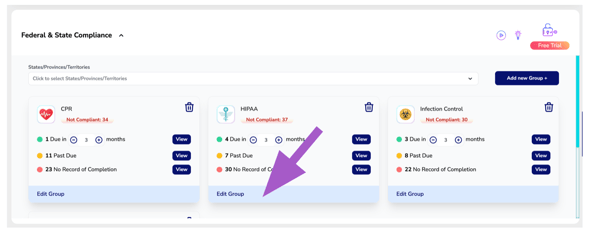
Locate the Federal or State Compliance Group Card you wish to edit and click Edit Group
Make necessary updates and click Upgrade Group.
Explanation of Each Input
For a detailed explanation of each setting and how it affects compliance tracking, refer to How to Create a Federal & State Compliance Group