
CE Renewal Requirements
CE Renewal Requirements
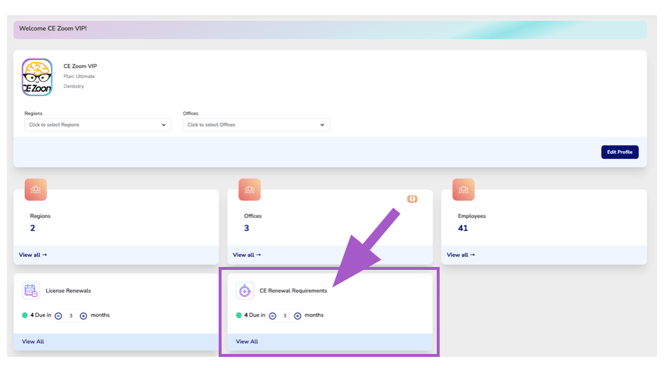
The CE Renewal Requirements Dashboard Card displays the number of employee continuing education renewal requirements approaching their renewal deadline within the selected reminder period and the currently selected Regions and Office Locations.
Use the + and − controls to increase or decrease the reminder window, allowing you to view upcoming CE renewal requirements further in advance or focus on those requiring immediate attention.
This card provides a proactive view of employees with upcoming continuing education renewal deadlines, helping your organization identify individuals who may need to complete additional continuing education before their renewal period ends.
Select View All to open the CE Renewal Requirements Manager, where you can review employees with upcoming CE renewal deadlines, view their license and renewal period information, and quickly copy an email to notify employees of upcoming requirements.
The CE Renewal Requirements Manager is designed to identify employees with upcoming CE renewal deadlines. To review an employee's complete compliance status, navigate to the employee's Compliance Tracker module, click View, and search for the employee. From there, you can review their Compliance Tracker to see which CE renewal requirements have been fulfilled, which requirements are still outstanding, and their overall progress toward renewal compliance.