
The License Validation dashboard provides organizations with a centralized location to monitor and manage employee licensure documentation and validation status. By organizing license records into clear validation categories, administrators can quickly identify missing documentation, review submitted licenses, confirm validated records, and monitor expired credentials.
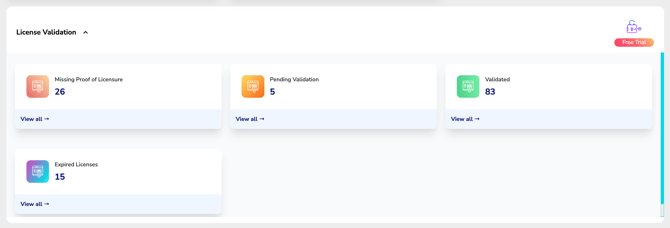
License Validation helps organizations maintain accurate employee records, improve compliance visibility, and streamline the license verification process across the entire workforce.
Benefits of License Validation
License Validation provides a structured approach to monitoring licensure documentation, validation status, and renewal activity throughout your organization.
Using the License Validation dashboard, your organization can:
- Quickly identify employees who have not provided proof of licensure.
- Review licenses awaiting validation.
- Track licenses that have already been validated.
- Identify expired licenses requiring immediate attention.
- Maintain organized documentation to support internal policies and compliance initiatives.
By centralizing these workflows into a single dashboard, administrators can spend less time searching for documentation and more time ensuring employees remain compliant.
License Validation Dashboard
The License Validation dashboard organizes employee licenses into four status categories, allowing administrators to quickly understand the validation status of every license within their organization.
The dashboard includes the following validation categories:
- Missing Proof of Licensure
- Pending Validation
- Validated
- Expired Licenses
Each dashboard card displays the total number of licenses currently assigned to that status.
Selecting View All on any card opens a detailed list of employees within that category.
Missing Proof of Licensure
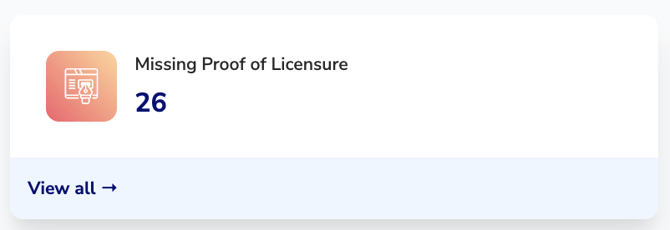
The Missing Proof of Licensure card displays employees whose licenses do not currently have supporting documentation uploaded to CE Zoom.
These licenses require additional documentation before they can move through the validation process.
Select View All to:
- Identify employees missing proof of licensure.
- Request employees upload a copy of their license.
- Monitor outstanding documentation requirements.
- Maintain complete employee licensing records.
Keeping this category up to date helps ensure every employee has the required documentation on file before license validation begins.
Pending Validation
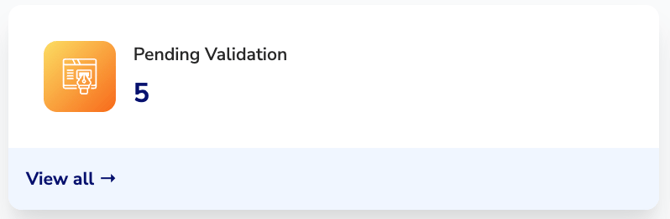
The Pending Validation card displays licenses that have documentation submitted but are awaiting administrative review.
These licenses require validation before they are considered complete.
Select View All to:
- Review submitted license documentation.
- Validate employee licenses.
- Monitor licenses currently awaiting review.
Regularly reviewing pending licenses helps organizations keep employee records current while reducing delays in the validation process.
Validated
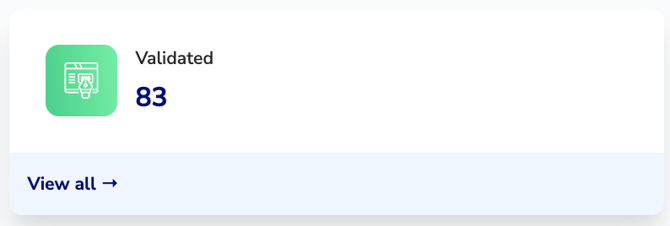
The Validated card displays licenses that have successfully completed the validation process.
These licenses have supporting documentation on file and have been reviewed by your organization.
Validated licenses provide confidence that:
- Required documentation has been collected.
- License information has been reviewed.
- Employee records are complete.
- Supporting documentation is available for future reference.
Select View All to review all validated licenses within your organization.
Expired Licenses
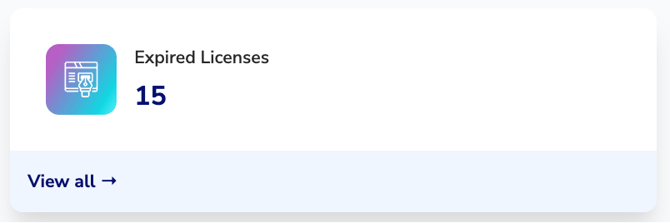
The Expired Licenses card displays licenses that have reached their expiration date.
Expired licenses may require employee action, updated documentation, or license renewal before they can return to an active status.
Select View All to:
- Identify employees with expired credentials.
- Review expired license information.
- Follow up with employees regarding license renewal.
- Maintain visibility into licenses requiring immediate attention.
Monitoring expired licenses helps organizations reduce compliance risks and ensure employee credentials remain current.
Managing License Validation
License Validation is designed to provide complete visibility into the lifecycle of every employee license.
As employees upload documentation and administrators review license records, licenses move naturally through the validation workflow:
- Missing Proof of Licensure – No supporting documentation has been provided.
- Pending Validation – Documentation has been submitted and is awaiting review.
- Validated – Documentation has been reviewed and approved.
- Expired Licenses – The license has reached its expiration date and requires renewal or additional action.
This workflow gives organizations an at-a-glance understanding of where every employee license stands while helping administrators prioritize follow-up and validation activities.
Best Practices
To maintain accurate licensing records and improve compliance oversight, CE Zoom recommends the following:
- Review the Pending Validation category regularly to prevent validation backlogs.
- Follow up promptly with employees listed under Missing Proof of Licensure.
- Periodically review Validated licenses to ensure documentation remains current.
- Monitor Expired Licenses frequently so renewal issues can be addressed before they impact compliance.
- Encourage employees to upload updated license documentation immediately after each renewal to keep records accurate.
Summary
The License Validation dashboard simplifies license management by providing a centralized view of employee documentation and validation status.
By organizing licenses into clear validation categories and providing quick access to each group, organizations can improve documentation accuracy, streamline administrative review, and maintain better visibility into workforce compliance.