
Note: Beginning with Credential Groups, the functionality described in this article is shared by both the Team Member Credentialing & Document Compliance Manager and the Office Credentialing & Document Compliance Manager.
Office Credentialing users: Click here to jump directly to the shared features.
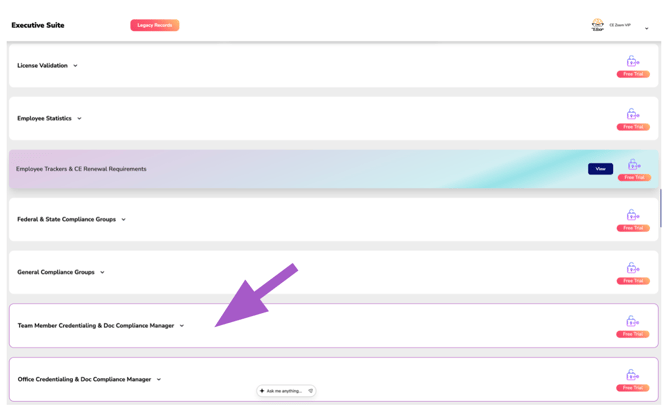
Team Member Credentialing & Document Compliance Manager
The Team Member Credentialing & Document Compliance Manager serves as an automated credential oversight system, helping organizations monitor the business credentials and professional documentation employees are required to maintain throughout their employment. This offers your office or organization:
🛡️ Regulatory Protection
Monitor employee credentials and documentation required to support regulatory and organizational compliance.
⚠️ Risk Reduction
Identify missing, expired, or incomplete documentation before it impacts employees or your organization.
📅 Proactive Credential Monitoring
Track upcoming expirations and maintain continuous visibility into employee credentials and documentation.
While these credentials are often the responsibility of the individual employee, organizations also have a vested interest in ensuring they remain current. Missing or expired documentation can create operational disruptions, regulatory concerns, increased liability, and prevent employees from performing their job responsibilities.
Credential groups can be created to monitor virtually any employee-held credential or document, including:
- DEA Registrations
- NPI Numbers
- Radiology Badges
- Professional Liability Insurance
- Malpractice Insurance
- Disability Insurance
- Life Insurance
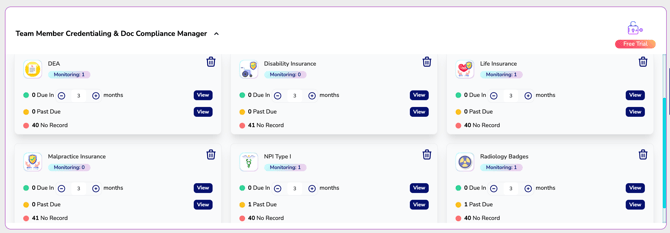
By providing real-time visibility into employee documentation, organizations can quickly identify missing records, approaching expirations, expired credentials, and employees requiring follow-up—allowing leadership to proactively protect both their workforce and their organization.
Credential Groups
By default, the Team Member Credentialing & Document Compliance Manager does not include any predefined credential groups, giving your organization complete flexibility to monitor the credentials and documentation that matter most to your business.
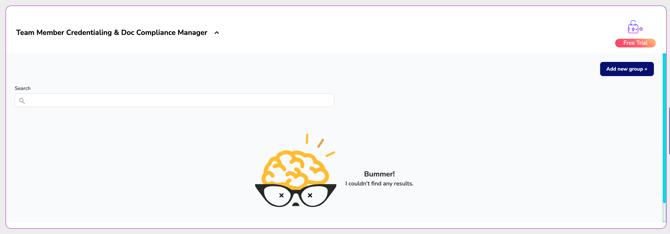
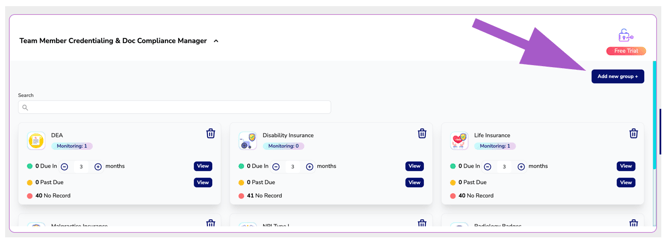
Select Add New Group to create credential groups for any employee credential or document your organization wants to monitor, such as DEA registrations, NPI numbers, malpractice insurance, radiology badges, background checks, or any other organization-specific documentation.
Understanding Credential Cards
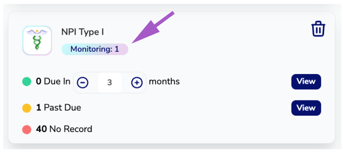
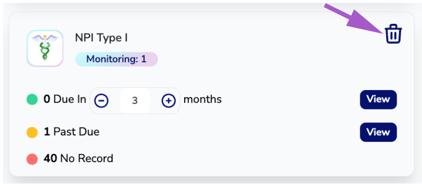
Each credential group is displayed as an individual dashboard card that provides a real-time snapshot of your organization's compliance for that specific credential or document.
Each card displays:
- Monitoring – The number of employee credentials or documents currently being monitored for that credential group.
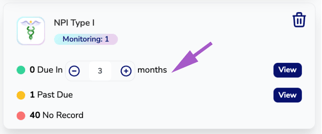
- Due In – Employees with credentials or documents approaching their expiration date within the selected time frame. Use the + and – buttons to increase or decrease the reminder window.
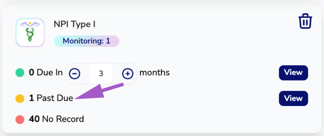
- Past Due – Employees whose credential or document has expired and requires immediate attention.
- No Record – Employees who do not currently have the required credential or documentation on file. This may be because the credential is not required for their role or because the credential or supporting documentation has not yet been added to their account for monitoring.
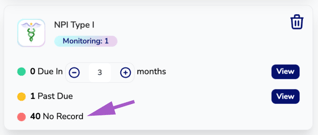
These statistics provide instant visibility into which employees require action, allowing your organization to proactively manage credential expirations and maintain complete documentation oversight.
Viewing Employee Lists
Each compliance statistic includes a View button.
Selecting View opens a detailed list of employees matching that specific status for the selected credential group.
From this list, you can quickly see:
- The employee's name
- The credential or document being monitored
- The credential's expiration date
- The number of days until expiration or the number of days the credential has been expired
This allows managers to quickly identify employees requiring attention, prioritize follow-up efforts, and maintain complete visibility into employee credential status across the organization.
Remove Credential Group
If you no longer need to monitor a credential or document, click the Trash icon to remove the credential group from your dashboard.
Removing a credential group does not delete any credentials or supporting documentation from your employees' personal CE Zoom accounts. It simply stops your organization from monitoring that credential through the Team Member Credentialing & Document Compliance Manager.
Summary
The Team Member Credentialing & Document Compliance Manager provides organizations with a centralized way to monitor employee credentials and important documentation that support day-to-day operations. By tracking credential expirations, identifying missing documentation, and providing real-time visibility into employee records, organizations can proactively manage credentialing requirements, reduce administrative oversight, and help ensure employees maintain the documentation needed to perform their roles.