
Survey Creation Method
Select the option that best fits your needs, then click Continue to begin creating your survey.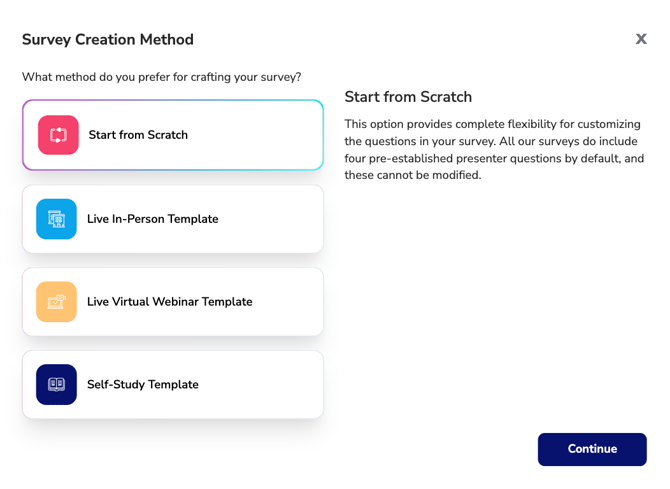
Available Survey Creation Methods
Start from Scratch
Create a fully customized survey by building your own questions and answer options.
Best for:
- Unique evaluation requirements
- Custom attendee feedback questions
- Surveys that do not fit a standard format
Important: All surveys include four required presenter evaluation questions by default. These questions cannot be modified or removed.
Live In-Person Template
Start with a pre-built survey designed for in-person courses and events.
Best for:
- Classroom training
- Workshops
- Conferences
- Face-to-face learning events
The template includes commonly used evaluation questions relevant to in-person learning experiences.
Live Virtual Webinar Template
Start with a pre-built survey designed for live online webinars and virtual events.
Best for:
- Virtual instructor-led training
- Webinars
- Online conferences
- Remote learning events
The template includes evaluation questions tailored to the virtual learning experience.
Self-Study Template
Start with a pre-built survey designed for self-paced learning activities.
Best for:
- Online courses
- Recorded webinars
- Independent learning activities
- Self-study CE courses
The template includes questions focused on content quality, learning objectives, and the overall self-study experience.
Continuing to Survey Creation
Once you have selected your preferred survey creation method, click Continue to proceed to the Survey Builder.