
Provider Statement & Logo
If you have provider approvals that you would like CE Zoom to automatically manage on your certificate, select the checkbox to enable provider statements and logos on the certificate. (Navigating & Using the Provider Statement & Logo Manager on CE Zoom)
If provider approvals are not needed, simply skip this section, and no provider statement or logo will be added to the certificate.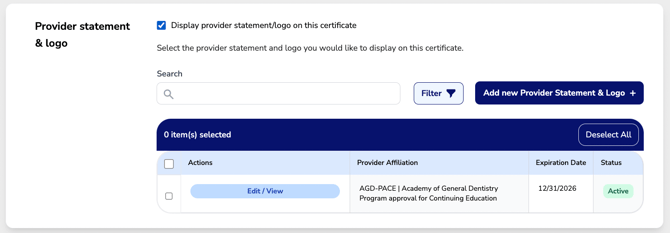
- Choose all active provider approvals you want displayed.
- Only active provider approvals will be available for selection. (How to update the provider status)
- If a provider approval has expired, you can edit and renew it to make it active again. (How to renew your provider approval)
- If you need to add a new provider approval, click "Add New Provider Statement & Logo" to input the necessary details. (How to add a new Provider statement & logo)