
Posting Overview
This final screen provides a summary of your course details before posting. Each course type will have its own posting overview.
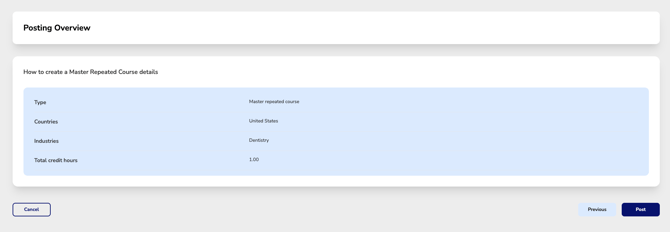
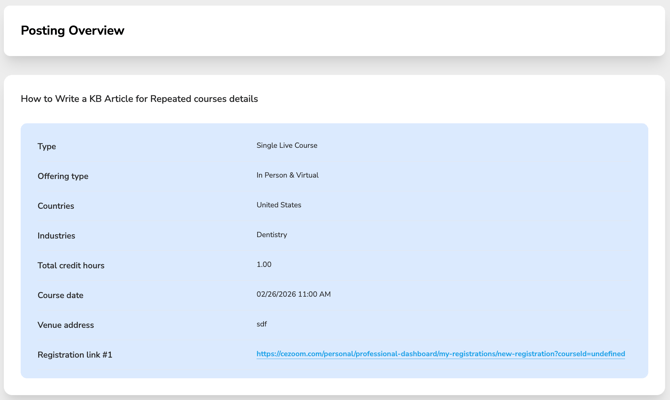
Posting Status: Draft vs. Post
If the status displays Post, your course information is complete and ready to be published.
If your course remains in Draft status, refer to the Course Wizard navigation menu.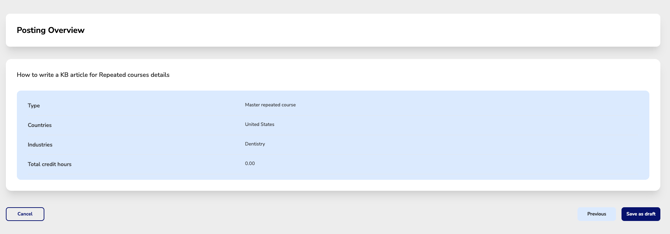
Any step displaying a warning icon indicates required information is missing. Select that section to complete the remaining fields.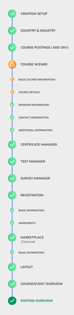
For Repeated (Master) Courses:
You will NOT be able to create presenter templates or schedule course dates until the Master Course is fully completed and posted.