
Posting Your Course
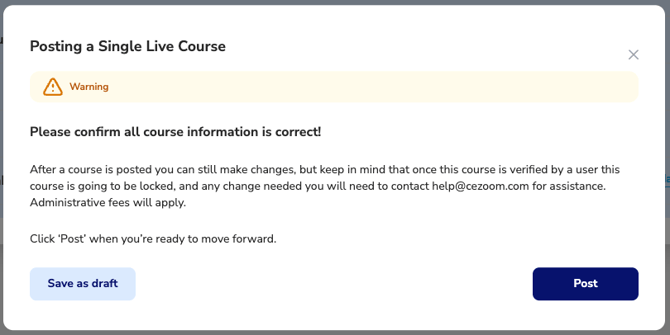
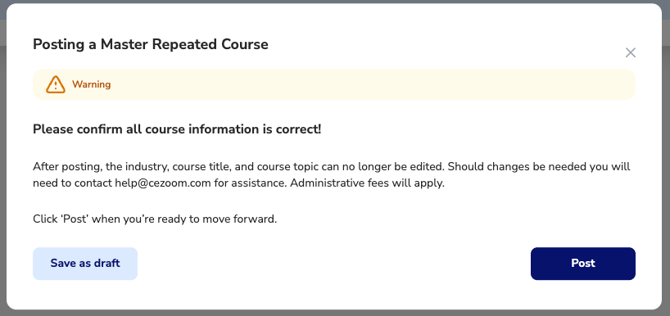
The Posting Confirmation is the final step before publishing your Course. Before the course is posted, CE Zoom asks you to review your information one last time to ensure everything is complete and accurate.
When you click Post, you're confirming that the course information has been reviewed and is ready to be published.
Important: Although many course details can still be updated after posting, some information becomes restricted once the course progresses through the approval and attendee verification process.
Save as Draft
If you're not ready to publish your course, select Save as Draft.
Saving as a draft allows you to:
- Save your progress without publishing the course.
- Return at any time to continue editing.
- Review and finalize your course information before completing the course setup.
Note: Registration links can be shared once a course contains the minimum information required to accept registrations, such as a course title and scheduled date. However, verification codes are not generated until the course has been completed, preventing attendees from receiving incomplete CE certificates.
For Master Repeated Courses, the master course must be completed and posted before individual scheduled course dates can be created.
Your course will remain in Draft status until you choose to post it.
Posting Your Course
When you're satisfied with your course information, click Post to publish your Master Repeated Course.
After posting, the course continues through any approval processes, if applicable and master repeated becomes available for scheduling.
Editing a Posted Course
After a course has been posted, you can continue making changes until one of the following occurs:
- The course is approved or accredited (when approval is required), or
- An attendee verifies attendance and receives CE credit for the course.
Once either of these events occurs, certain core course information becomes locked to preserve the integrity of the published course and maintain accurate continuing education records.
Fields that may become locked include:
- Industry
- Course Title
- Course Topic
- Other core course information that affects course identity and compliance for approved or accredited courses.
Why are certain fields locked?
Once a course has been approved or attendees have begun earning continuing education credit, CE Zoom locks certain core course details to maintain accurate compliance records, preserve the integrity of the published or approved course, and ensure attendees receive credit for the course that was originally offered.
Need to Make Changes After Fields Are Locked?
If you need to update information that has been locked, please contact CE Zoom Support at help@cezoom.com for assistance.
Depending on the requested change, administrative fees may apply.