Course Type - Course Method
On this screen, you’ll define how your Self-Study/On-Demand Course will be delivered
1. Select the correct course delivery method
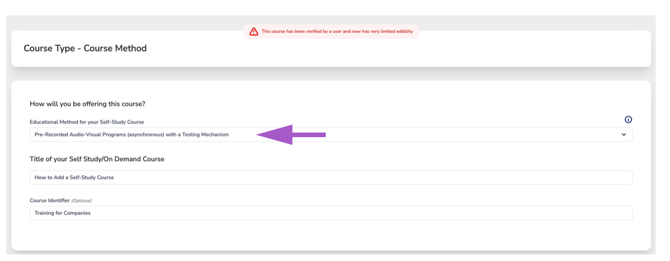
- From the dropdown menu labeled “Educational Method for your Self-Study Course” select the option that best describes how your course is being delivered. The dropdown contains 8 options, each appearing twice—once with a Testing Mechanism and once without.
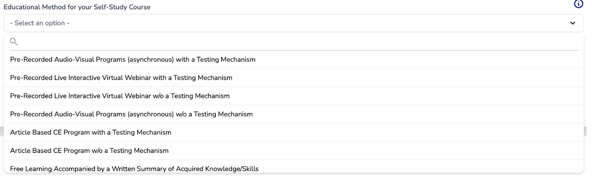
- Carefully choose the option that most accurately reflects how your course is being delivered.
- Example: If your course is a pre-recorded video that includes a post-test, select
"Pre-Recorded Audio-Visual Programs (asynchronous) with a Testing Mechanism." -
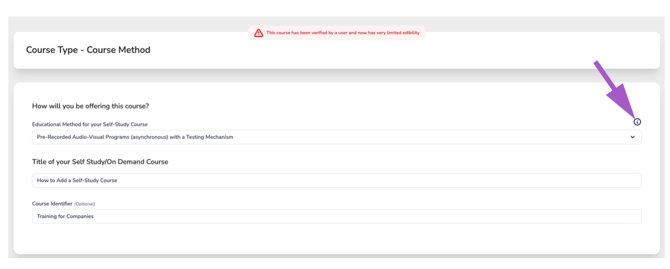
If you're unsure which educational method to select, click the information icon to view a complete list of all educational methods along with their descriptions.
- Example: If your course is a pre-recorded video that includes a post-test, select
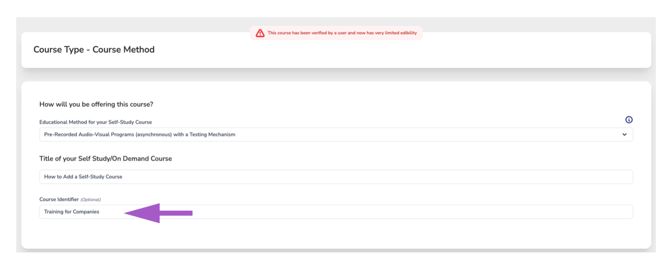
- Enter the course title: Type in a clear, descriptive title for your course. This is what participants will see.
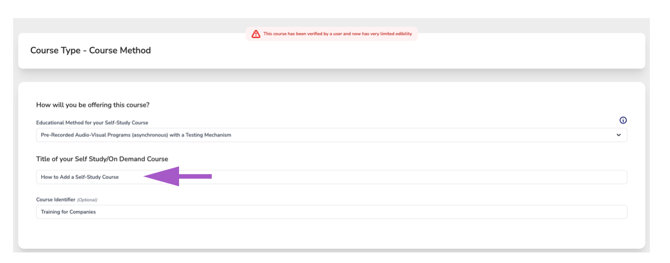
- Course Identifier (optional):
The Course Identifier is an optional label that allows you to distinguish one course offering from another without changing the official course title.
Use this field to identify courses by a department, region, employee group, training program, sponsorship, audience, or any other internal designation that helps organize your course catalog.
The Course Identifier is displayed alongside the course title in Course Search, helping learners quickly recognize the correct course when multiple offerings share the same title.
Please note: The Course Identifier is not part of the official course title and will not appear on the CE Certificate. It is intended solely as a visual identifier and is not a searchable field.