
Course Date, Time & Time Zone
This section is used to define when your course takes place and how many CE credit hours it provides.
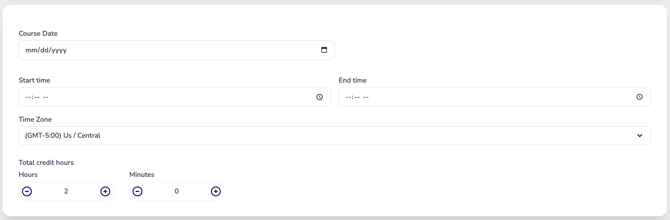
Course Date
Click the calendar icon and select the date the course will be held using the calendar picker.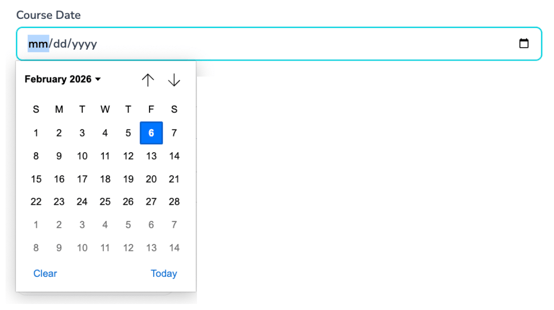
You may also use the Today or Clear options if needed.
Start Time & End Time
Click into the Start Time and End Time fields to open the time selector.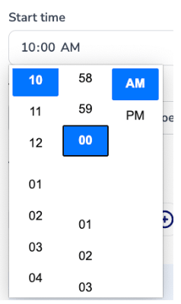
-
Select the hour, minute, and AM/PM to set the course schedule
-
Ensure the end time accurately reflects when the course concludes
Accurate start and end times help calculate total course duration and ensure attendees receive correct reminders and notifications.
Time Zone
Select the time zone where the course is being delivered.
-
The time zone is auto-selected based on your account settings
-
You can adjust it if the course is hosted in a different location
This ensures all attendees see the correct course time, regardless of their location.
Total Credit Hours
Enter the total CE credit hours earned by completing the course.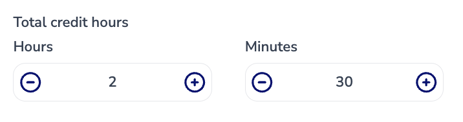
-
Use the + / – buttons to adjust hours and minutes
- You can also click inside the number fields and type in the time manually.
-
Credit hours should reflect instructional time only, in accordance with accreditation guidelines