
What Type of Course Are You Adding?
Choose how this course should be associated.
-
Single Course – if this course is offered on its own.
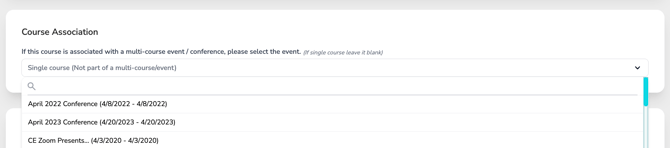
- If the course is not part of a conference or multi-course event, leave this field set to the default setting “Single course (Not part of a multi-course/event).”
-
Part of a Conference – If the course is associated with a conference or multi-course event and you are adding it outside of the Conference or Multi-Course Wizard, or a course was disconnected from a conference you can attach it here.
-
-
Click inside the Course Association field to open the dropdown menu.
-
Select the appropriate conference or multi-course event from the list created under your account.
-
If you are adding the course through the Conference Wizard, the associated conference will be automatically selected for you.