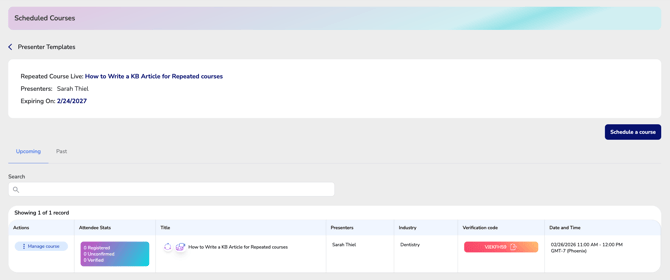
Use this section to view, create, and manage scheduled course dates for your Master Repeated Course. From the Scheduling Manager, you can add new course sessions, edit existing dates, and oversee all scheduled offerings connected to your presenter templates. Each scheduled date operates independently while remaining linked to the Master Repeated Course.
Navigating to Repeated Scheduled Courses
From the Presenter Template Manager screen (How to navigate to presenter templates for repeated courses), hover over “Manage Presenter Templates” to expand the dropdown menu.
Click “View Scheduled Courses.”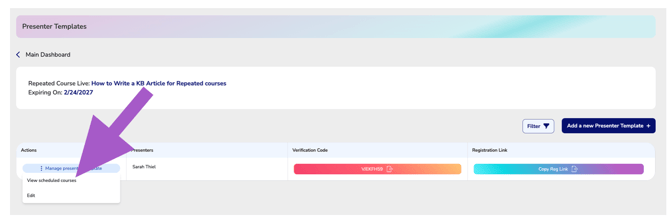
This will advance you to the Repeated Course Scheduling Manager screen.