
CE Hours Info
The CE Hours section contains separate instructions for Course-Related and Non-Course-Related CE activities. Use the Quick Links below to jump directly to the instructions that apply to the type of CE activity you're entering.
Non-Course Related CE Activities
Course Related CE Activities
Confirm the number of CE hours earned.
This step ensures your earned CE hours are correctly allocated to the appropriate license(s) and course topic(s).
-
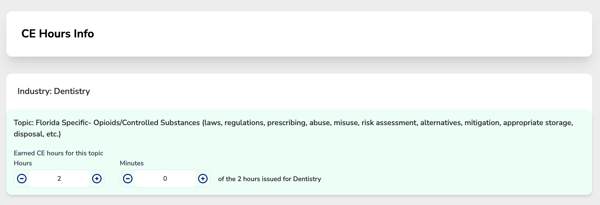
If you selected only one topic, you'll simply review and confirm the total CE hours earned for that topic.
-
The hours displayed are automatically populated from the Total CE Hours Issued field you entered in Step 2 – Basic Information. If the number of hours is incorrect, return to the Basic Information step and update the Total CE Hours Issued before continuing.
-
-
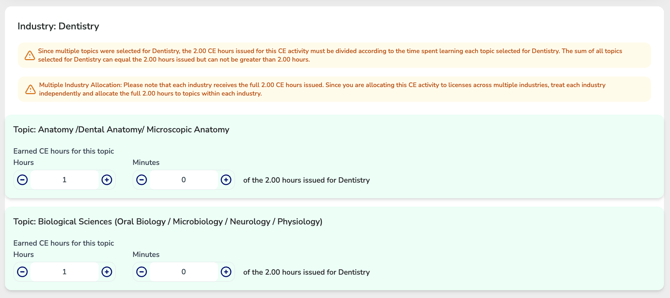
If you selected multiple course topics, you'll need to divide the total CE hours earned among each selected topic based on the amount of time spent learning that subject per industry.
The combined hours allocated to all topics for each industry must equal the total CE hours issued for the continuing education activity. The total cannot be greater than or less than the hours entered in Step 2 – Total CE Hours Issued.
Validation: If the total hours allocated across all selected topics do not equal the total CE hours issued, a validation message will appear identifying the discrepancy. You'll need to adjust the hour allocation until the combined total matches the total CE hours issued before you can continue.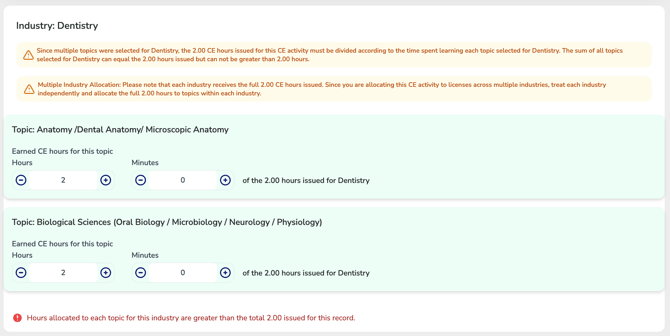
For Users with Licenses in Multiple Industries
If you hold licenses across multiple industries, you will need to repeat this process for each industry — confirming or allocating hours for each industry separately.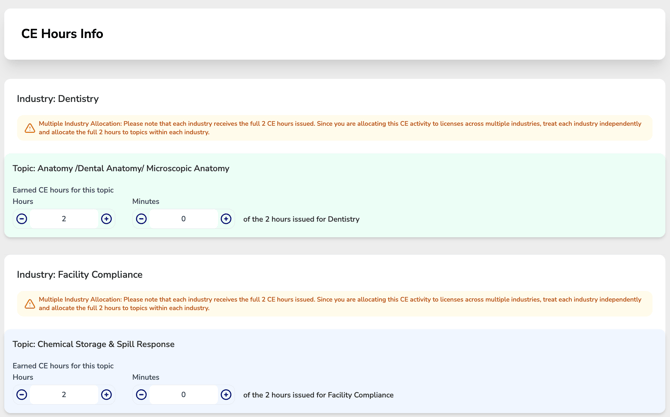
⚠️ Important: CE hours are not divided between industries. Each industry is treated independently and each industry receives the full hours issued. This ensures that every industry’s specific tracking and compliance requirements are properly met.
Non-Course Related CE Activities
Unlike course-related continuing education, many non-course CE activities do not have a predetermined number of CE hours awarded upon completion. Because CE credit for these activities is often determined by your licensing board's specific rules, the wizard will guide you through the questions needed to accurately calculate and apply your CE hours.
Here’s how it works:
-
- For licenses where the regulatory body has special rules for converting earned hours into applied hours, the system will ask you a specific question related to that activity. Based on your response, CE Zoom will automatically calculate the applied hours for that license (this calculation will only be visible to Pro & Elite users through the upgraded CE Tracker feature, basic users will see their inputted value).
- You will be asked to complete this step for each license you are applying the CE record to.
- Treat each license as if it were the only one; do not divide the total value among the licenses.
- For licenses where the regulatory body DOES NOT have special calculations, or the type of CE Activity selected is not recognized by the state, the system will simply ask you to enter the total earned hours for the activity.
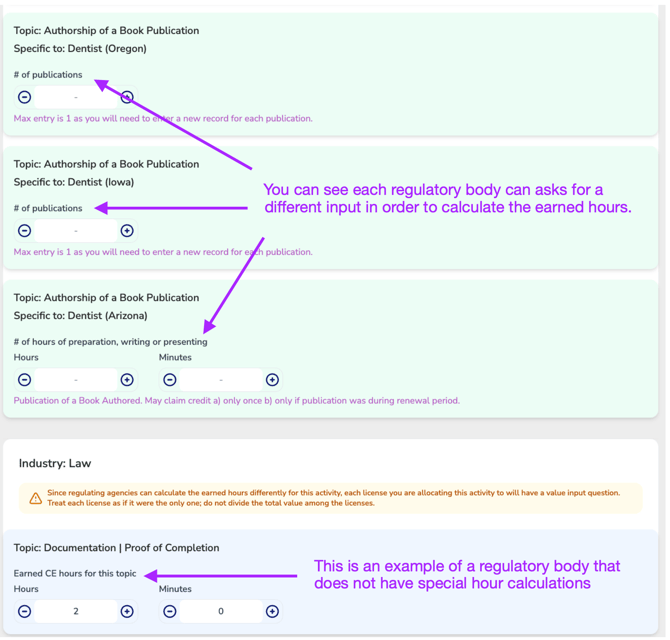
For Users with Licenses in Multiple Industries
If you hold licenses across multiple industries, you will need to repeat this process for each industry — confirming or allocating hours for each one separately.
⚠️ Important: For Non-Course Related CE Activities, CE hours are not divided between industries or licenses. If you're applying the activity to multiple industries, answer the questions for each industry independently, as if it were the only industry receiving credit.