
For presenters, your bio will automatically display on the courses you teach, helping attendees and offering companies learn more about your background, credentials, specialties, and experience. A well-written bio can improve your professional visibility and help companies confidently select you as a speaker or instructor for future educational activities.
Professional users may also add a bio to help build out their account profile as additional profile and networking features continue to expand throughout CE Zoom.
How to Add & Update Your Bio
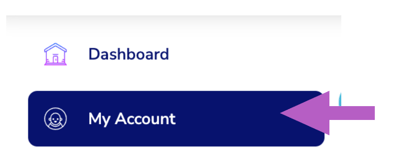
- From the navigation menu, click My Account
- Click on the 'Bio' tab
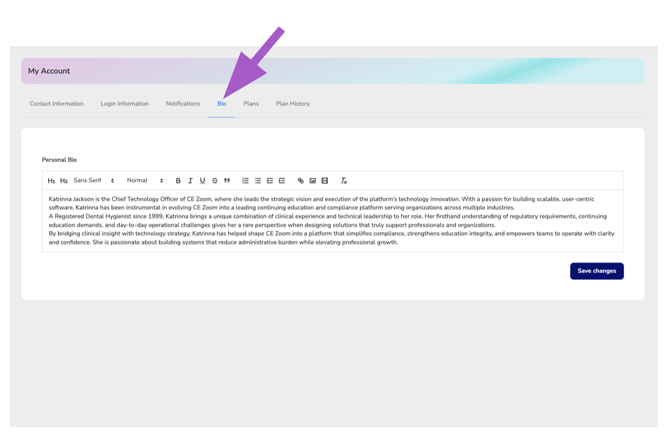
- Add or make any updates
-
Click save changes.
Please note that updating your bio will only apply to future course listings and will not automatically update courses that have already been posted.
If your bio needs to be updated on an existing course, please contact the offering company directly to request the update.