How View | Print Your Credential or Document
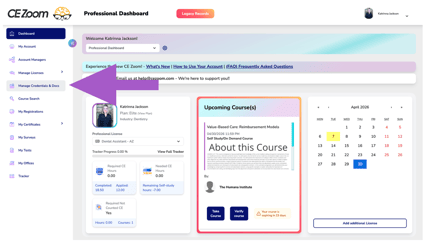
- From your dashboard, locate the navigation menu and select Credential & Document Manager.
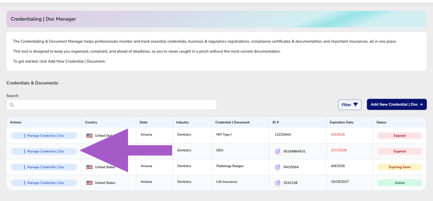
- Locate the credential or document you would like to update.
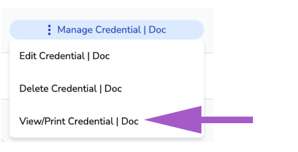
- Hover over Manage Credential | Doc
- Click View/Print
- If no file has been uploaded, a message will appear indicating that no documentation is available.