Skip to content
English
  • There are no suggestions because the search field is empty.

How to Delete a Credential | Document

Keep your records organized by removing outdated or unnecessary documents.

How Delete a Credential or Document

  1. From your dashboard, locate the navigation menu and select Credential & Document Manager.
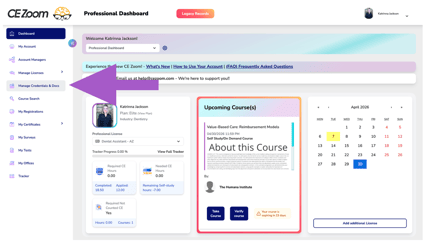
    Screenshot 2026-04-07 at 9.19.43 PM
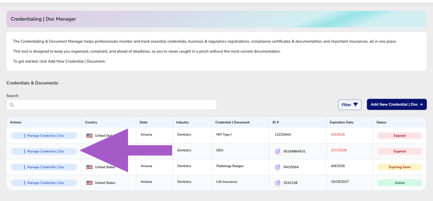
  2. Locate the credential or document you would like to update.
  3. Hover over Manage Credential | DocScreenshot 2026-04-07 at 9.31.29 PM
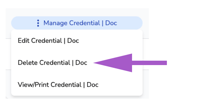
  4. Click Delete
    Screenshot 2026-04-07 at 9.41.04 PM


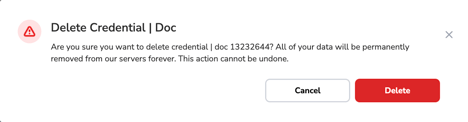
  5. Confirm you wish to detete Screenshot 2026-04-07 at 9.41.42 PM