Building Your Survey
Multiple Choice Question
Multiple Choice questions allow attendees to select from a list of predefined answer options. Use this question type when you want to collect structured feedback that can be easily measured and analyzed.
If creating your survey from a template, you can edit the preloaded existing questions and add new ones.
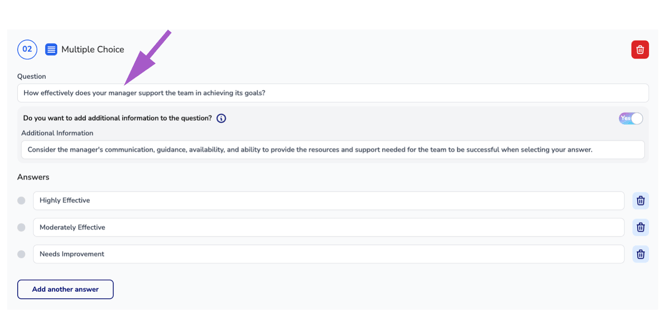
Question
Enter your survey question in the Question field.
This is the question attendees will see and respond to when completing the survey.
Example:
How satisfied were you with the course content?
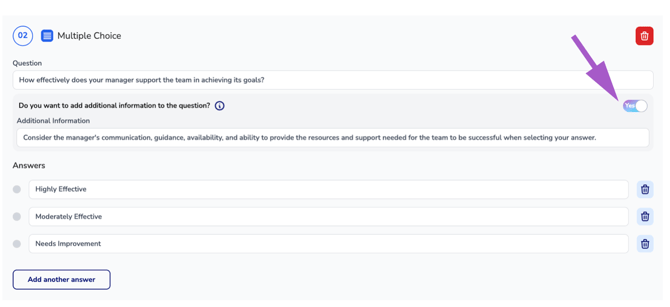
Additional Information (Optional)
If additional clarification is needed, use the Additional Information option.
Toggle the setting to Yes to display an additional input field where you can provide instructions, context, or guidance related to the question.
Example Question:
How satisfied were you with the course content?Example Additional Information:
Consider the relevance, quality, and usefulness of the information presented when selecting your answer.
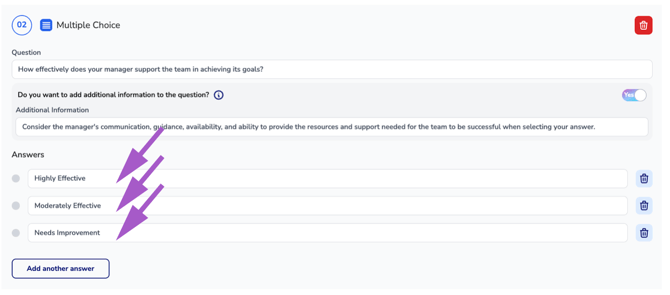
Answer Choices
Enter the available answer options attendees can select when responding to the question.
By default, three answer fields are provided. A minimum of two answer choices is required for every Multiple Choice question.
Example Answer Choices:
- Very Satisfied
- Satisfied
- Neutral
- Dissatisfied
- Very Dissatisfied
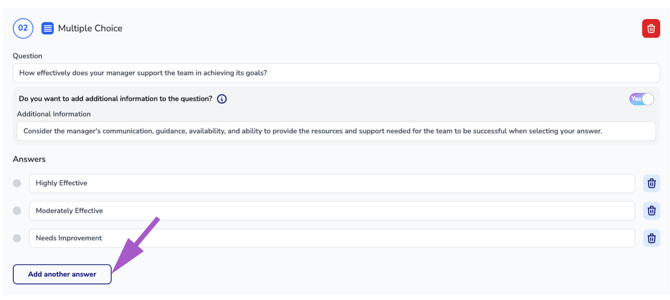
Add Another Answer
To add additional answer choices beyond the default options, click Add Another Answer.
Use this option whenever additional responses are needed to accurately capture attendee feedback.
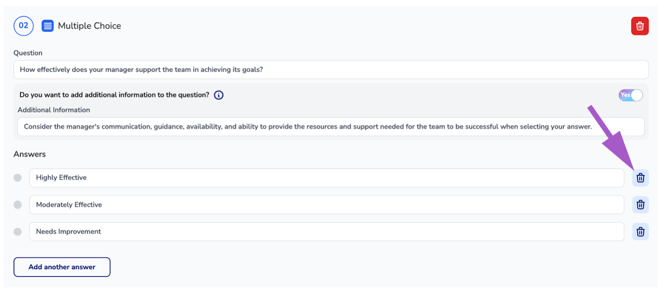
Remove an Answer Choice
To remove an answer choice, click the Trash icon next to the answer you wish to delete.
Note: Multiple Choice questions must contain at least two answer options.
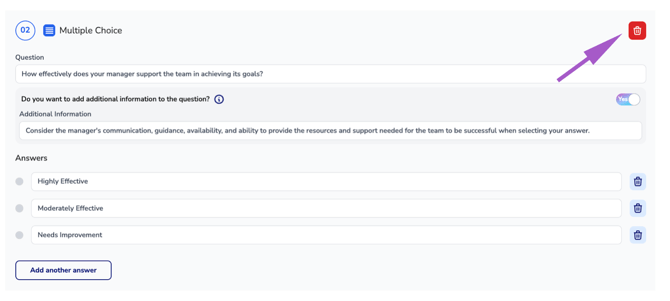
Remove the Question
To remove the entire question, click the Trash icon located in the upper-right corner of the question panel.
Warning: Deleting a question permanently removes the question and all associated answer choices from the survey.