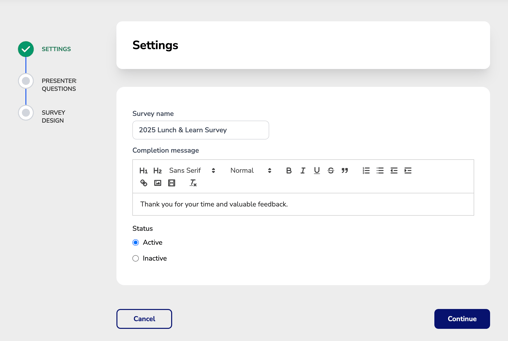
Configure Survey Settings
- Survey Name – Enter a unique name for the survey. Survey names must be unique and cannot be reused, making it easier to identify and manage surveys throughout the system.
- Completion Message – Customize the message attendees will see after successfully completing the survey. If you create your survey using a template, a default completion message will be automatically populated and can be modified as needed.
- Status – Choose whether the survey should be Active or Inactive (default is Active). By default, new surveys are created as Active. Active surveys are available for selection when assigning surveys within the Course Wizard and are displayed under the default Active filter in the Survey Manager. Inactive surveys remain stored in the system but are hidden from the default Active view until reactivated.