
- Log in to your CE Zoom personal account
-
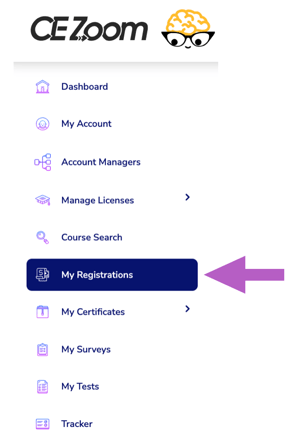
Click "My Registrations" from the left navigation menu.
-
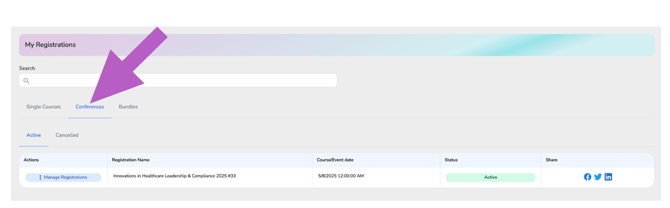
Select the type of event you need to edit by clicking the appropriate tab — Single Courses, Conferences, or Bundles
-
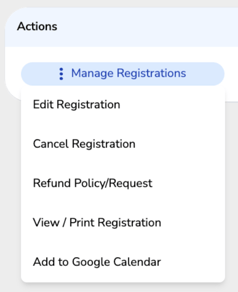
In the Actions column, hover over “Manage Registrations” for the event you want to edit to expand the dropdown menu
-
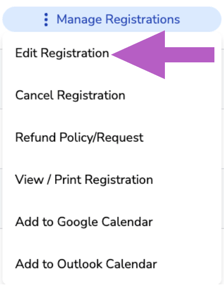
Click “Edit Registration” from the dropdown.
-
Make Your Changes
-
Continue through the registration flow and update your information as needed.
-
Heads up: If you change to a different course, you will be removed from the original course and your previous seat will not be held. Availability for the new course is subject to open seats at the time of your edit.
-
-
Complete Your Update
-
Submit any additional payments, if required.
-
If your updated registration results in a $0 balance, you will still need to agree to the terms and complete the order.
-
After payment is successfully processed, click Submit to view your updated confirmation.
-
If a refund is due, please reach out directly to the company hosting the event.
More Info: How to Request a Refund
More Info: How to Cancel Your Registration