
Course Wizard - Course Details - {Industry}
If offering a course in multiple industries:
You will need to complete one section per industry, since each industry has its own:
-
Topics
-
Providers
-
Audiences
- etc.
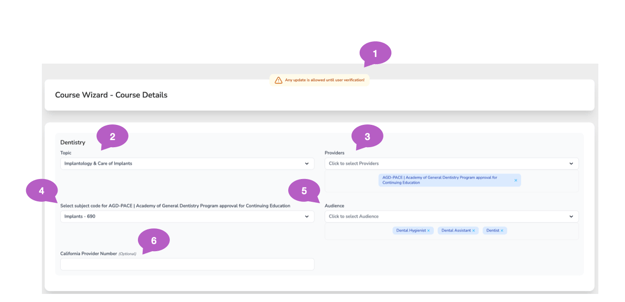
1. Editing After Posting Your Course
Once your course is posted, this notice will appear to let you know how edits work going forward.
You may edit course details until a user verifies the course (claims credit for completion).
After a course has been verified:
-
Course data can no longer be changed
-
This ensures consistent and accurate CE tracking for all participants
You will not see this notice during initial course setup—it only appears after the course has been posted as a reminder of these rules.
If an error is discovered after users have verified the course, please contact CE Zoom Admin (help@cezoom.com) for assistance.
Administrative fees apply for post-verification updates.
2. Topic
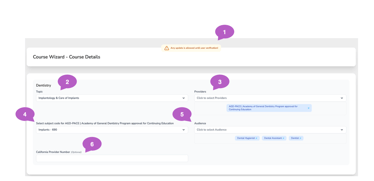
-
This is a single-select field.
-
Choose the primary subject your course focuses on.
If your course covers multiple distinct topics, consider creating a Multi-Course Event, where each session can have its own topic for accurate tracking.
3. Providers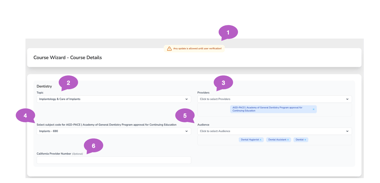
-
The Provider is the approved, accredited, or recognized organization associated with the course.
In some cases, the provider may be the offering company or speaker. In other cases, it may be a separate organization recognized by the licensing board that grants the course its validity and allows it to be accepted for CE credit.
-
Select all providers that are recognized or approving entities for this course.
-
This ensures the CE activity is considered credible and aligns with industry standards for professional competency.
- Dentisty: If you chose AGD-PACE Joint Providership as an Add On, AGD-PACE will be auto selected as a provider and can not be removed, but you may select additioanl providers.
⚠️ Disclosure:
The terminology used here is intended to apply across industries. Selecting a provider does not imply official accreditation or approval in all cases. It simply records which entity is overseeing or regulating the CE activity.
4. AGD-PACE Subject Code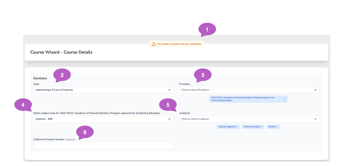
-
If you selected AGD-PACE as a provider or chose AGD Joint Provider, this field will appear.
-
Select the appropriate AGD subject code that best fits your course content from the dropdown list.
5. Audience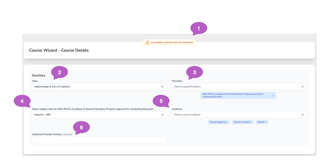
-
Choose who the CE course is intended for (e.g., Dentists, Dental Hygienists, Assistants, etc.).
-
This helps ensure the course is promoted to and visible by the right professional groups.
6. California Provider Number (Optional)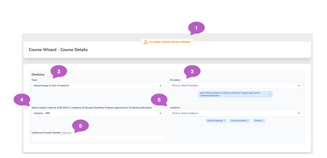
- If your course is approved by California, enter your state-issued course provider number in this field.
-
If not applicable, leave this blank.