
How to add a new record:
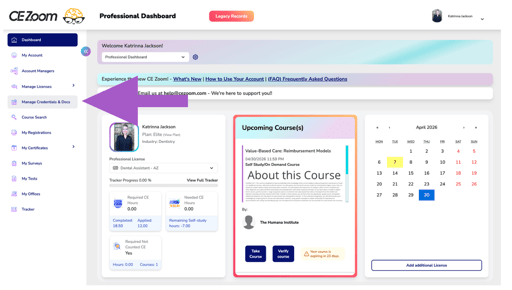
- From your dashboard, locate the navigation menu and select Credential & Document Manager.
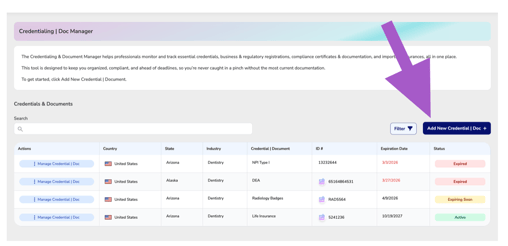
- Click Add New Credential | Doc
- Complete the following fields:
Required Fields
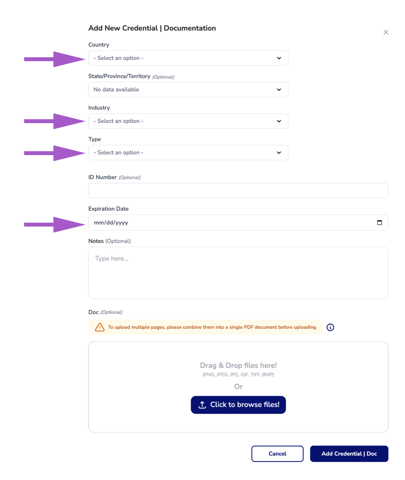
- Country – Select the country where the credential applies
- Industry – Select your profession
- Type – Choose the credential or document type
👉 Don’t see your document type?
Email us at help@cezoom.com and we’ll add it for you.
- Expiration Date
Enter the expiration date to receive reminders and keep your credentials current.
Optional Fields
- ID Number
Add an ID or reference number to help you track and manage your record. - State/Province/Territory (if applicable)
- Expiration Date
Enter the expiration date to receive reminders and keep your credentials current. - Notes
Add any helpful details such as:- Contact names or phone numbers
- Renewal instructions
- Important reminders
Upload Documentation
- Upload a PDF or image file of your credential or document
- Multiple pages should be combined into a single PDF before uploading
- Click Add Credential | Doc to save